Automate product screenshots across your Intercom Help Center
LaunchBrightly monitors your documentation, identifies outdated screenshots, and keeps every Intercom article aligned with the latest version of your product.
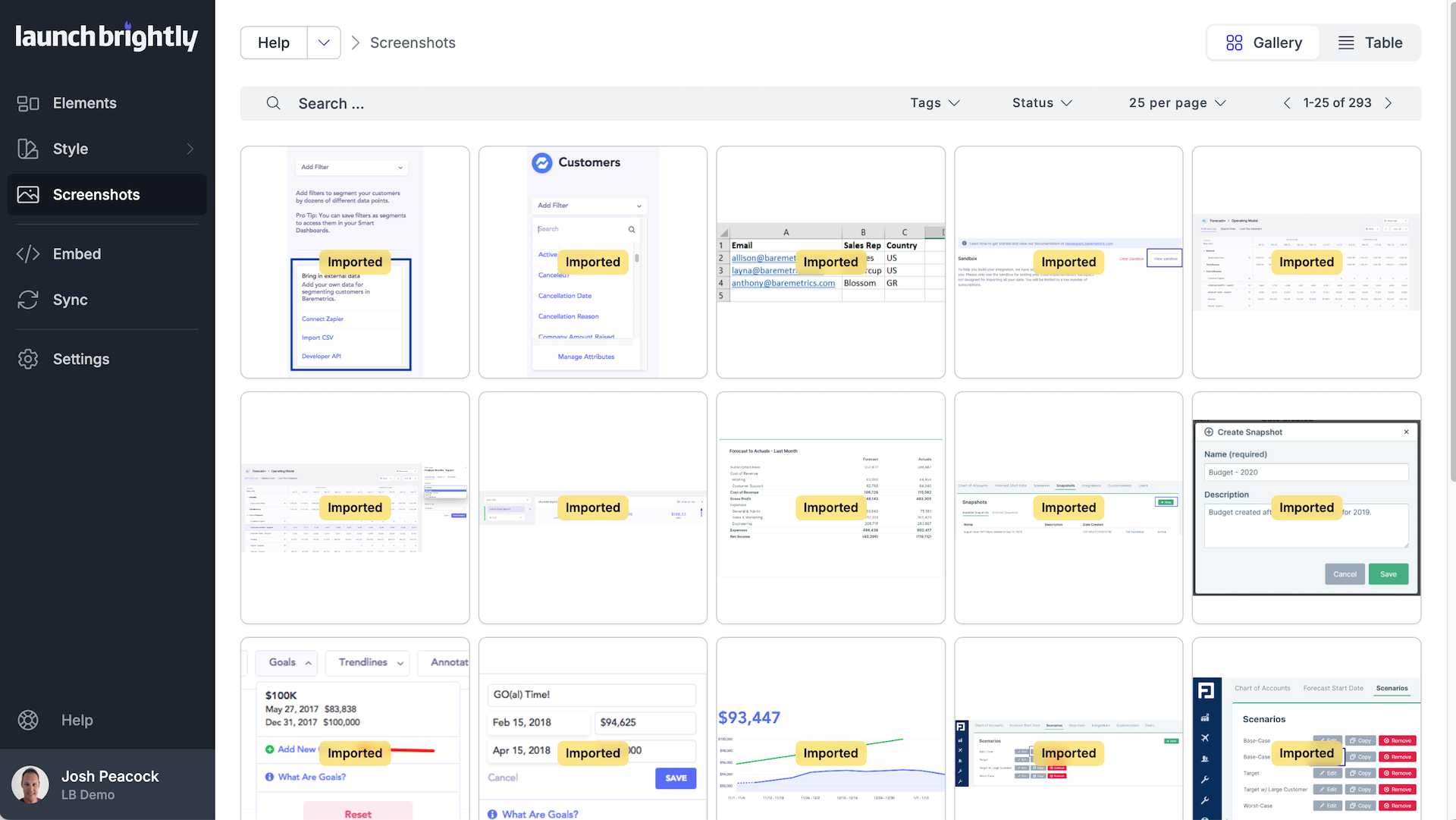
Import all existing Intercom images
Connect your Intercom Help Center and launch a scan to automatically analyze and import all existing images, linking each image to the Intercom articles where it appears. LaunchBrightly performs an exhaustive pixel-level comparison to identify duplicate screenshots, ensuring every unique image is imported only once and organized into a centralized repository ready for automation.
 Complete Workflow: Import, Audit & Sync (5 min)
“It was the first time we’d seen all of our images in one place—we could instantly see how this could become our screenshot source of truth.”
“Even better, every image is linked to the articles where it lives, giving us complete visibility into how visuals are used across our entire help center.”
Sync fresh screenshots to Intercom
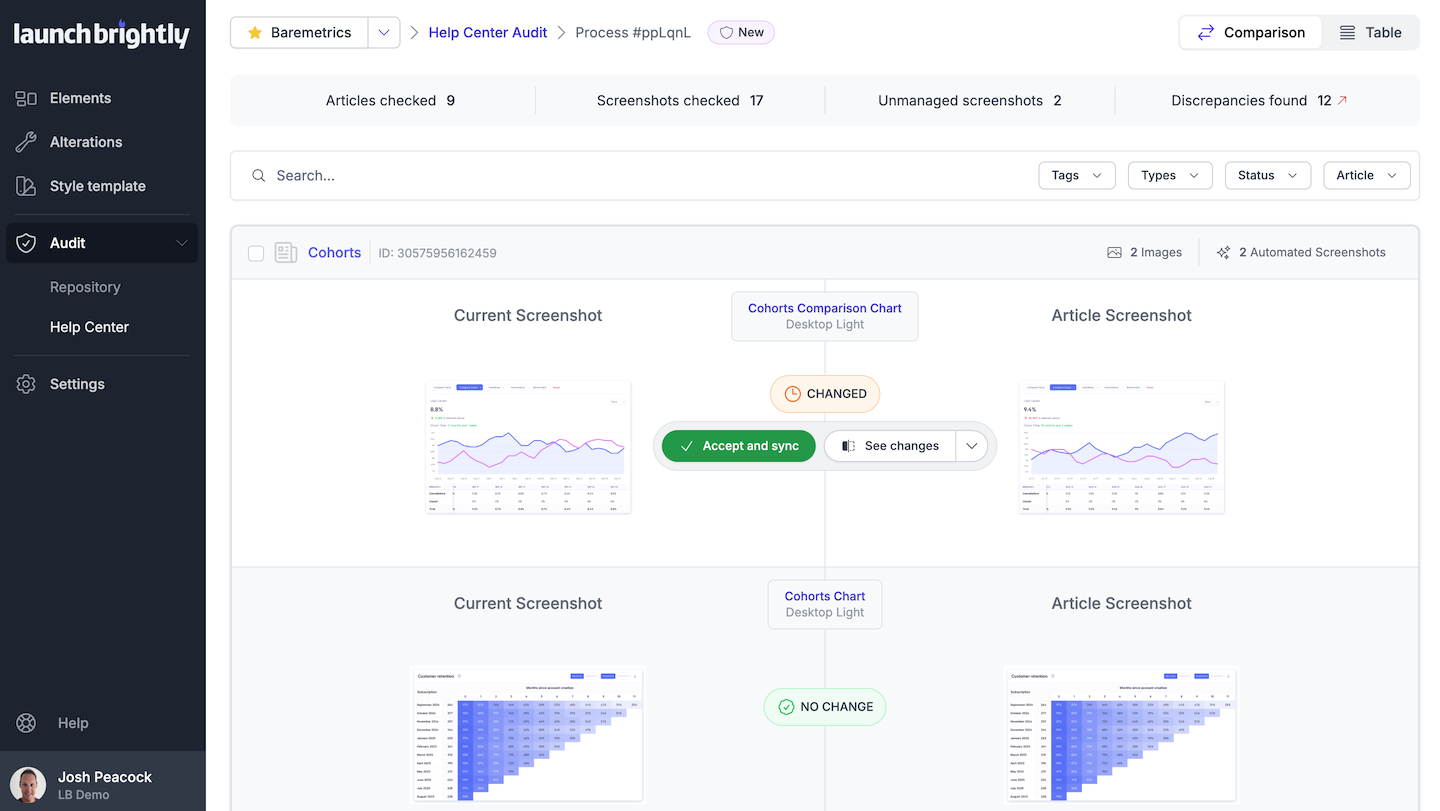
Build an automation recipe once, and LaunchBrightly regenerates fresh screenshots on the schedule you set—capturing the latest version of your product automatically.
LaunchBrightly continuously compares those fresh screenshots against the images live in your Intercom articles, flags the ones that have drifted from reality, and updates them directly in your Help Center. Review changes before they're synced, ensuring only approved updates are synced to Intercom.
“It's incredibly easy to see what changed. Once we've reviewed the updates, a single click syncs them to Intercom.”


Find LaunchBrightly on the Intercom App Store
LaunchBrightly is listed in the Intercom App Store. When you're ready, you connect your Intercom workspace right from your LaunchBrightly account.