The Screenshot Automation Platform built for Documentation Teams
Keep every screenshot accurate — without the manual work. Automate the entire screenshot lifecycle, turning product workflows into repeatable automations that generate on-brand screenshots and animated videos, audit your help center for changes, and sync approved updates across every article.
Record once. Rerun forever.
Use the automation recipe builder to navigate your product as you normally would — click buttons, open menus, enter text, and take other actions — to get your product into the exact view and state you want to capture. Every interaction is meticulously recorded, turning real product workflows into repeatable automations that generate fresh screenshots and animated videos whenever your product changes.
While recording, you can add annotations with shapes, text, or other callouts and remove unwanted elements like chat bubbles — enhancements applied automatically every time a new screenshot is generated.
No manual rework. No stale screenshots. Just repeatable automation that scales as your product evolves.
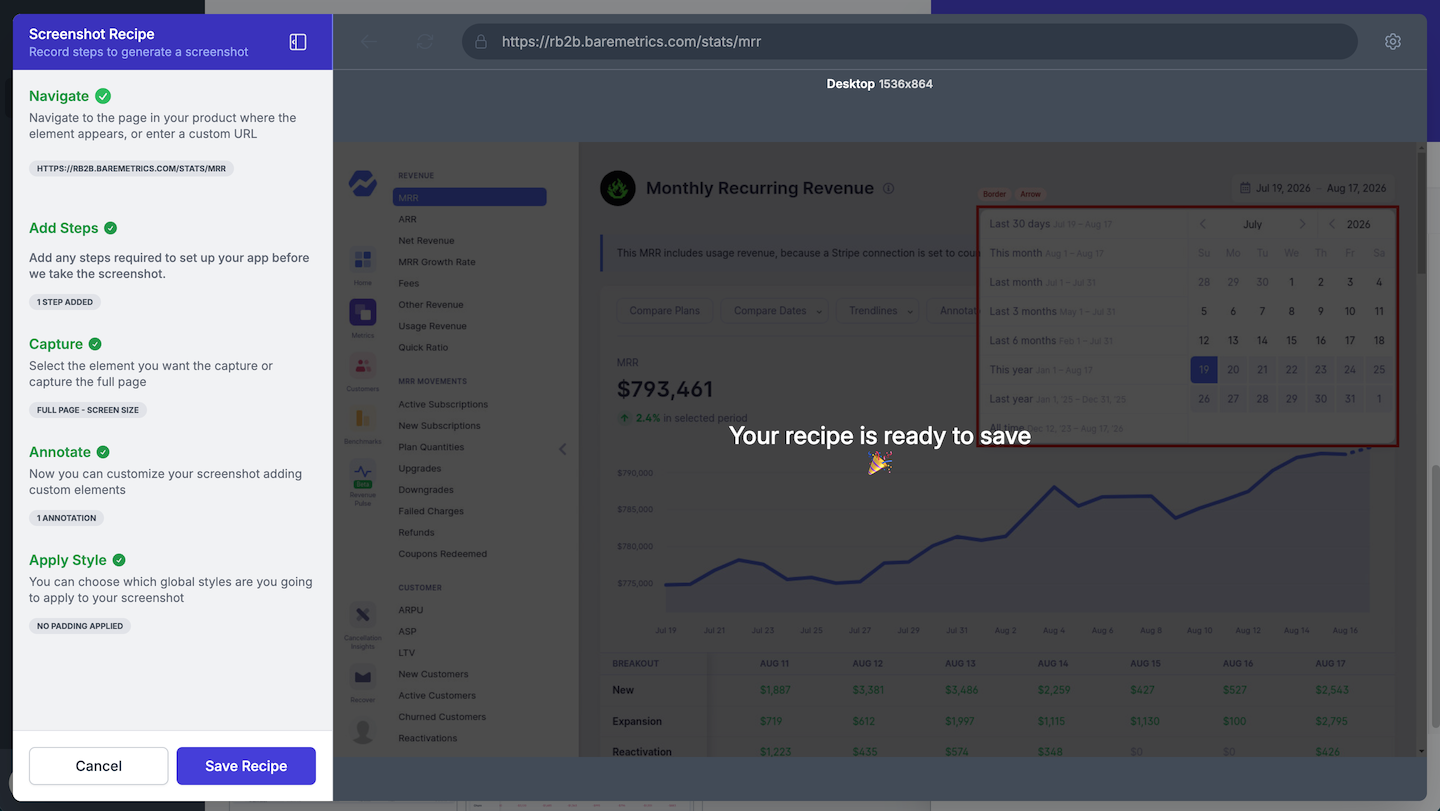
Centralized Styling. Always On-Brand.
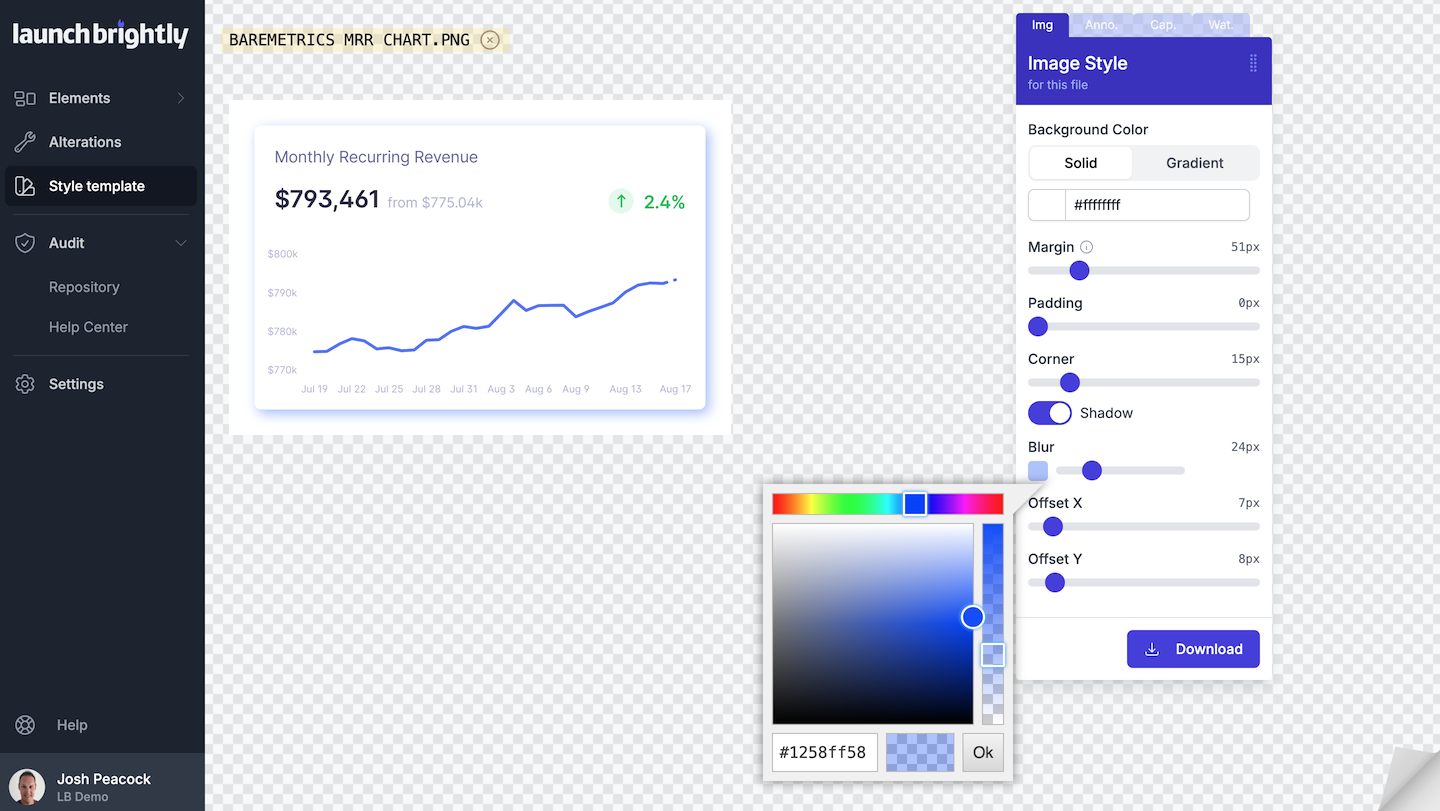
Define a custom style template that gives you control over how every screenshot and animated video is rendered across your help center, including:
- Layouts for margins, corners, backgrounds, and shadows
- Annotation colors, offsets, and line styles
- Annotation arrows and callout styles
- Caption and watermark styling and placement
- Animated video pointer style, typing, and scrolling speeds
Every screenshot and animated video stays consistent with your brand — no matter who captures it, or when. If your styling changes, simply update the template and reprocess every visual to match, automatically.
Every Product Change. Audited.
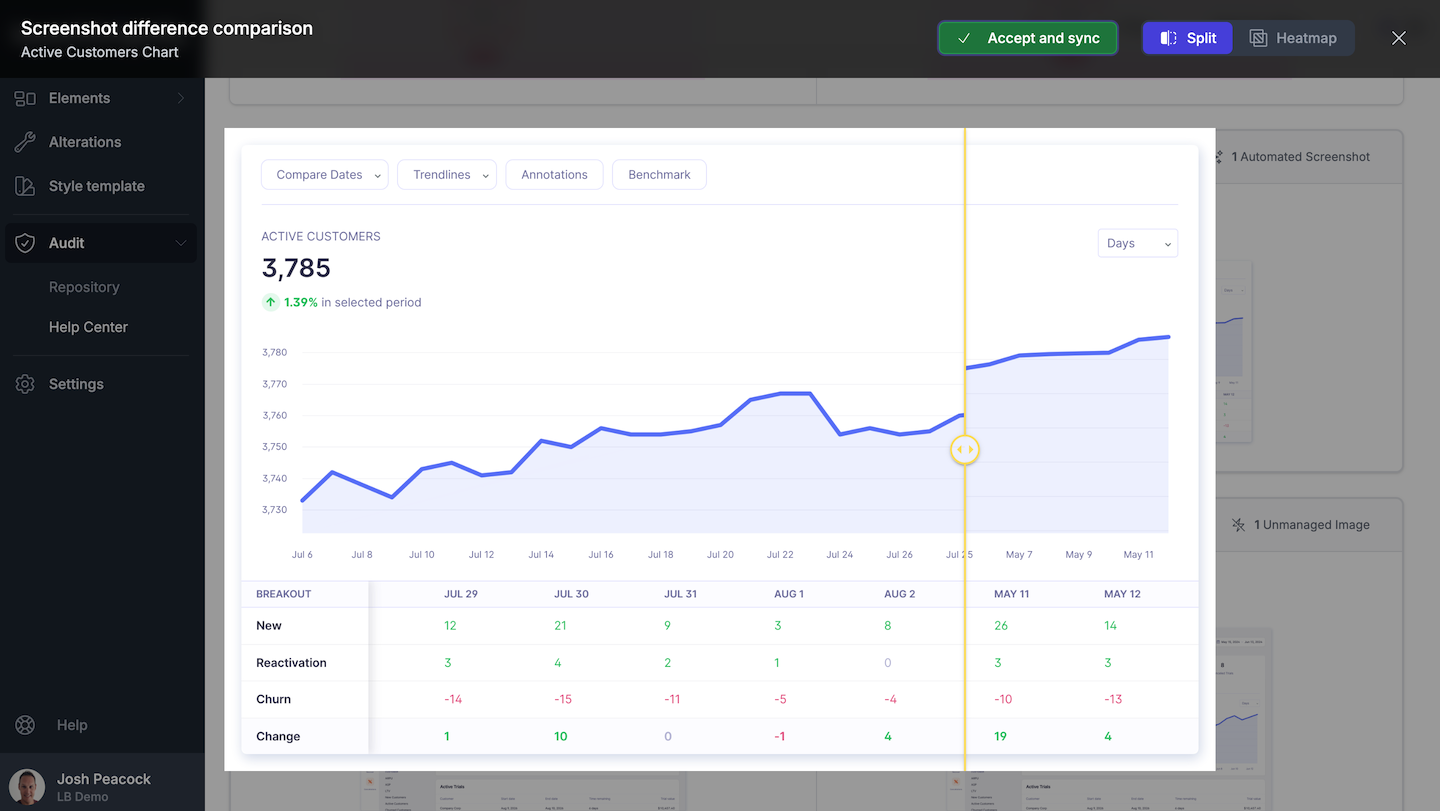
Digging through help articles to see if they're still accurate. Waiting on another team's Slack message to find out your product changed. Eyeballing screenshots side-by-side. None of it is a reliable way to catch every change to your product. Recurring visual audits of your help center remove the guesswork.
Fresh screenshots and animated videos are generated automatically and compared against what's live in your help center. You'll know exactly what changed, and where — nothing slips through.
An automated visual governance process that keeps you in control — recurring, reliable, and built to scale as your product evolves.
One Approval. Synced Everywhere.
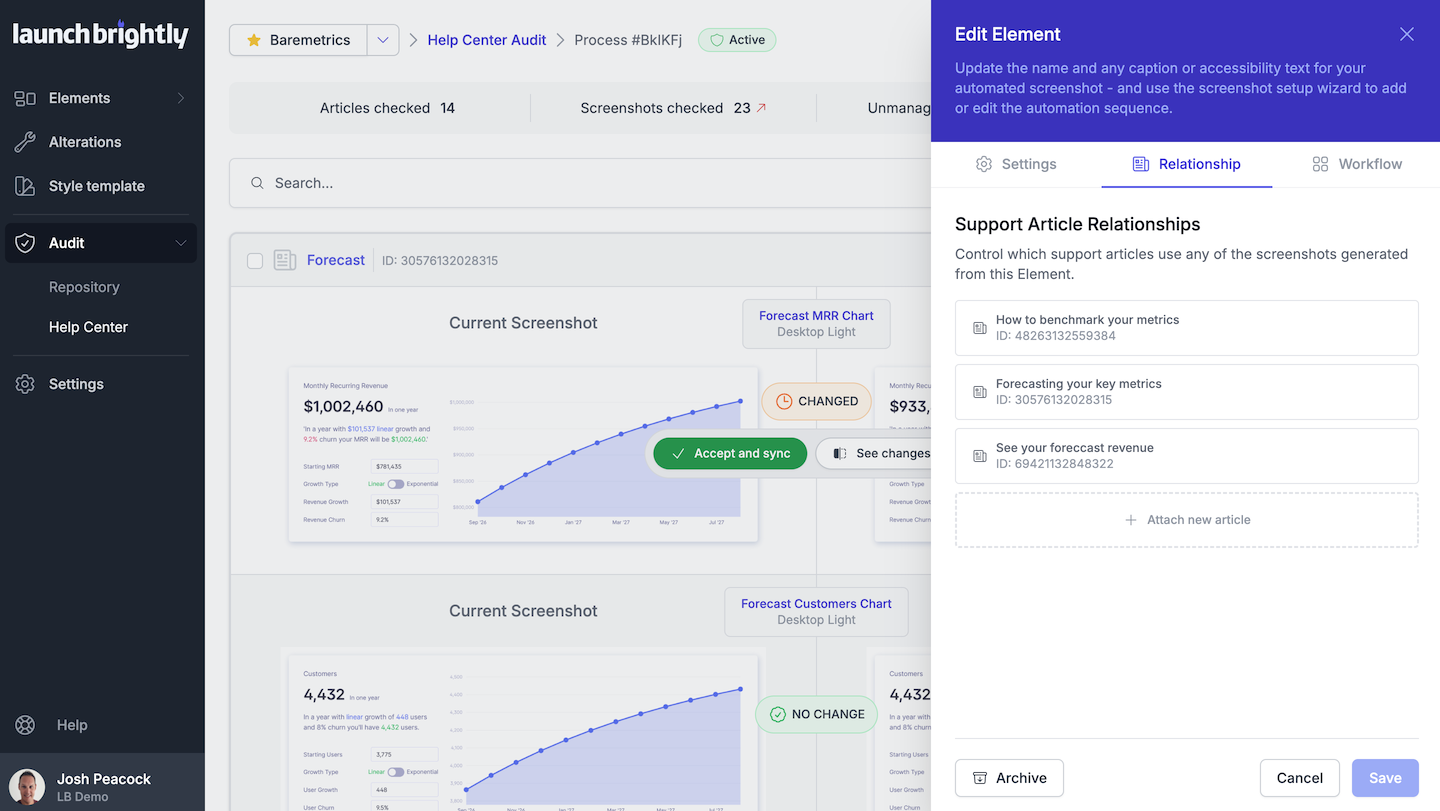
Your screenshots aren't standalone assets — they're part of a larger documentation system that changes alongside your product. Keeping every article accurate means knowing exactly where each screenshot is used, and when it needs to change.
LaunchBrightly maintains a live relationship between every visual and every article that references it, automatically updating that relationship as screenshots are added, updated, or reused. Approve a change once, and it syncs across every article where it appears — no hunting through articles, no searching spreadsheets, no wondering what you missed.
It's the difference between updating a screenshot and managing one at scale.
Select Features
Explore some of our features to automate your screenshot process. There’s lots more so drop us an email anytime!
Screenshot Recipe Builder
- Every interaction is recorded and turned into a repeatable automation recipe, rerun automatically whenever your product changes.
Custom Styling
- Consistently style your automated visuals, annotations, and captions to match your brand. Reprocess instantly whenever it changes.
Audit
- Automatically audit fresh visuals against what’s live in your help center, and receive instant alerts on exactly what changed and where.
Sync
- Approve once, and updated screenshots and animated videos are automatically synced to every help article where they appear.
Login Profile
- Securely capture screenshots and animated videos of pages from behind the login of your application without requiring engineering support.
Automated Annotations
- Automatically reapply shapes, arrows, text, and callouts to the right product elements every time a screenshot is regenerated.
Screenshot Comparison
- Use split-view and heatmaps to quickly and easily identify changes to your product screenshots detected when running your screenshot audits.
Help Center Import
- Scans your entire help center, pixel by pixel, to build a centralized, searchable library of screenshots, mapped across your documentation.
Remove Elements
- Automatically remove chat bubbles, feedback tags, and other unwanted elements to ensure every generated visual is clean and consistent.
Custom Rendering
- Use one automation recipe to generate screenshot variants across desktop and mobile, light and dark mode, languages, layouts, and pixel densities.
Auto-Reprocess
- Schedule automatic reprocessing, and every visual regenerates to reflect the latest version of your product, ready when you need them.
Screenshot History
- Each generated visual is preserved to history, giving you a chronological screenshot archive tracking how your product changes over time.
Animated Video
- Use one streamlined automation recipe to generate screenshots, GIFs, and MP4s from the same product workflow.
Localization
- Create a single automated screenshot recipe and automatically generate screenshots in each of the languages you support.
Embed
- Embed fixed URLs of your automated visuals anywhere across your website and it always serves the latest, most accurate version.
Export
- Automatically share the latest version of every screenshot across your organization, maintaining a single source of truth for your entire team.
Auto-Approvals
- Automatically approve minor visual changes, so only meaningful product changes reach your audit review queue.
AI / MCP Server Access
- Give your AI agents a living knowledge graph of your product, connecting every visual, article, and workflow.
Workflow Tracker
- Automatically discover user workflows, and turn them into repeatable automation recipes. No recording required.
Content Audit
- Compare the content around your help center visuals against your current product to flag exactly what needs updating.
Want to see it in action?
Let's do a quick 30-minute demo. We'll keep it tight, be straightforward about the value, and show you exactly how LaunchBrightly works for your team. Sound good? 🙂
Millions of screenshots served fresh











Now it seems a little silly that we continually updated images for all of our help articles. Manually. Over and over again. Screenshot Automation from LaunchBrightly is a peek into the future.