Automate product screenshots across your Zendesk Help Center
LaunchBrightly monitors your documentation, identifies outdated screenshots, and keeps every Zendesk article aligned with the latest version of your product.
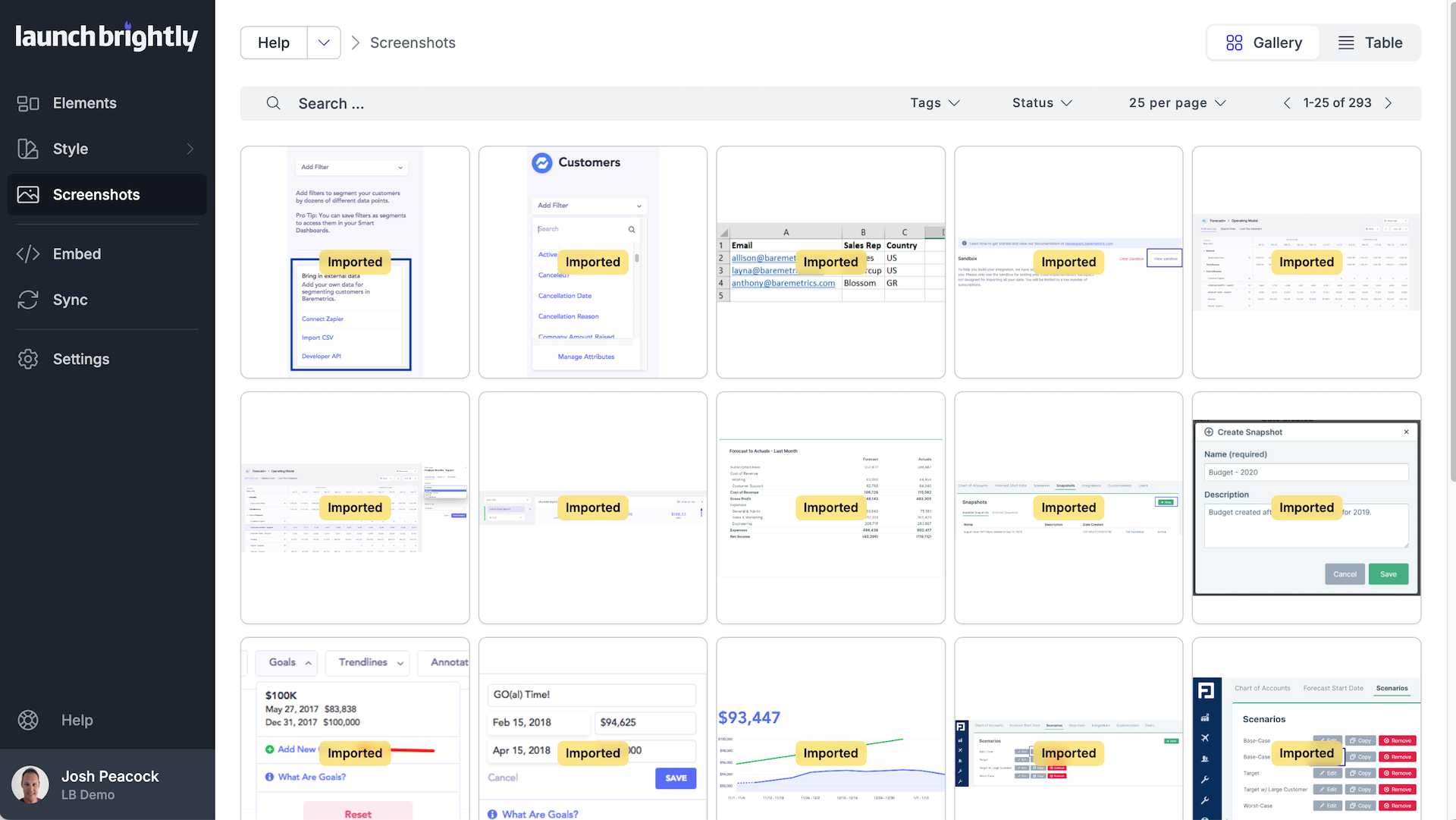
Import all existing Zendesk images
Connect your Zendesk Help Center and launch a scan to automatically analyze and import all existing images, linking each image to the Zendesk articles where it appears. LaunchBrightly performs an exhaustive pixel-level comparison to identify duplicate screenshots, ensuring every unique image is imported only once and organized into a centralized repository ready for automation.
 Complete Workflow: Import, Audit & Sync (5 min)
“It was the first time we’d seen all of our images in one place—we could instantly see how this could become our screenshot source of truth.”
“Even better, every image is linked to the articles where it lives, giving us complete visibility into how visuals are used across our entire help center.”
Sync fresh screenshots to Zendesk
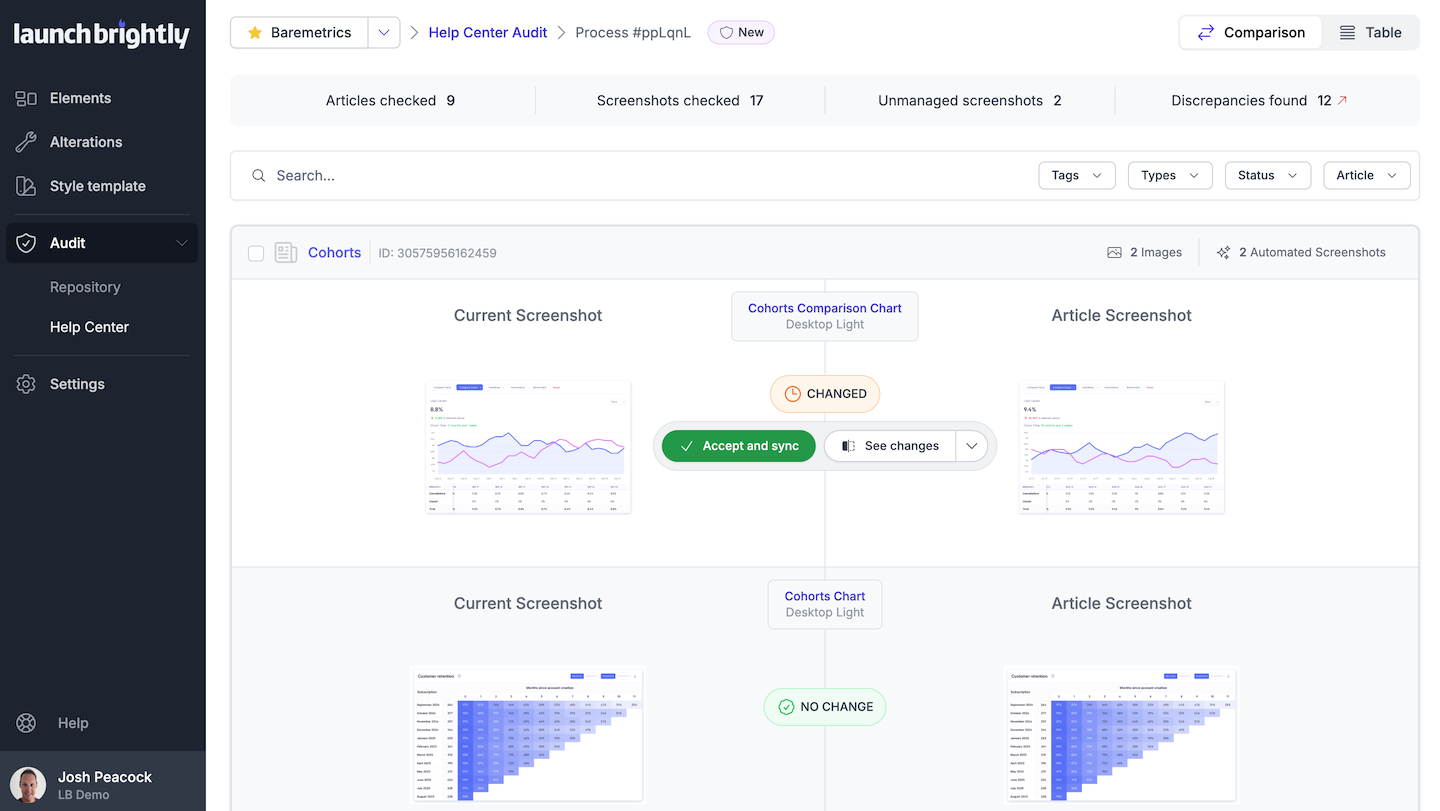
Build an automation recipe once, and LaunchBrightly regenerates fresh screenshots on the schedule you set—capturing the latest version of your product automatically.
LaunchBrightly continuously compares those fresh screenshots against the images live in your Zendesk articles, flags the ones that have drifted from reality, and updates them directly in your Help Center. Review changes before they're synced, ensuring only approved updates are synced to Zendesk.
“These small changes used to be nearly impossible to manage. Now LaunchBrightly spots them and syncs the updates straight to Zendesk.”


Find LaunchBrightly on the Zendesk Marketplace
LaunchBrightly is listed in the Zendesk Marketplace. When you're ready, you connect your Zendesk account right from your LaunchBrightly account.