By Josh Peacock, Dennis Mortensen In Newsletter | February 2026
Multiple login profiles — securely capture screenshots across different demo accounts!
Newsletter 17
Our newsletter from February 2nd, 2026. Feel free to sign up to get this directly in your inbox
Multiple demo accounts, one automated screenshot workflow
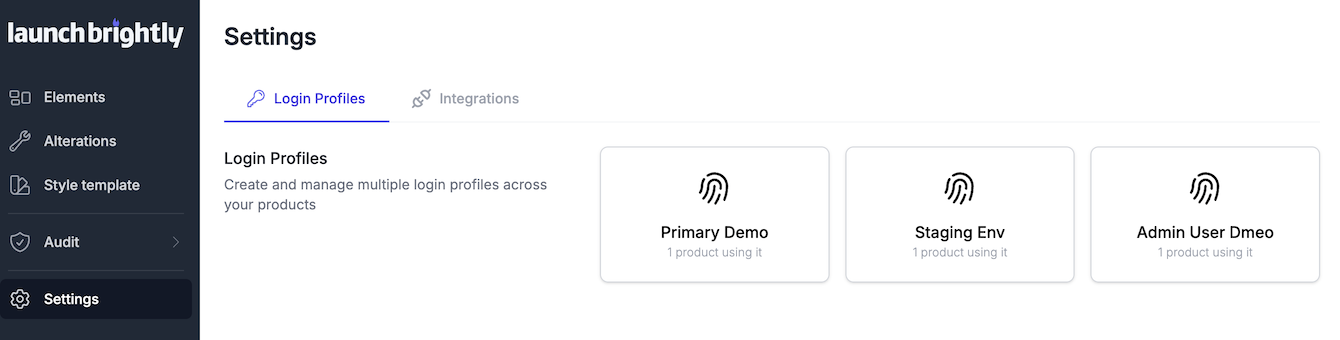
As products grow, so does complexity. Different plans unlock different features, varying roles and permissions shape the UI users see, and new functionality often lives in staging well before it’s ready for launch. Capturing accurate screenshots across these different states usually means manually logging in and out of multiple accounts — all while juggling credentials across teammates.
LaunchBrightly’s ability to neatly handle Multiple Login Profiles solve this for you. A secure way to capture screenshots across different demo accounts, user roles, plans and environments — all within a single, unified screenshot audit process.
What is a Login Profile?
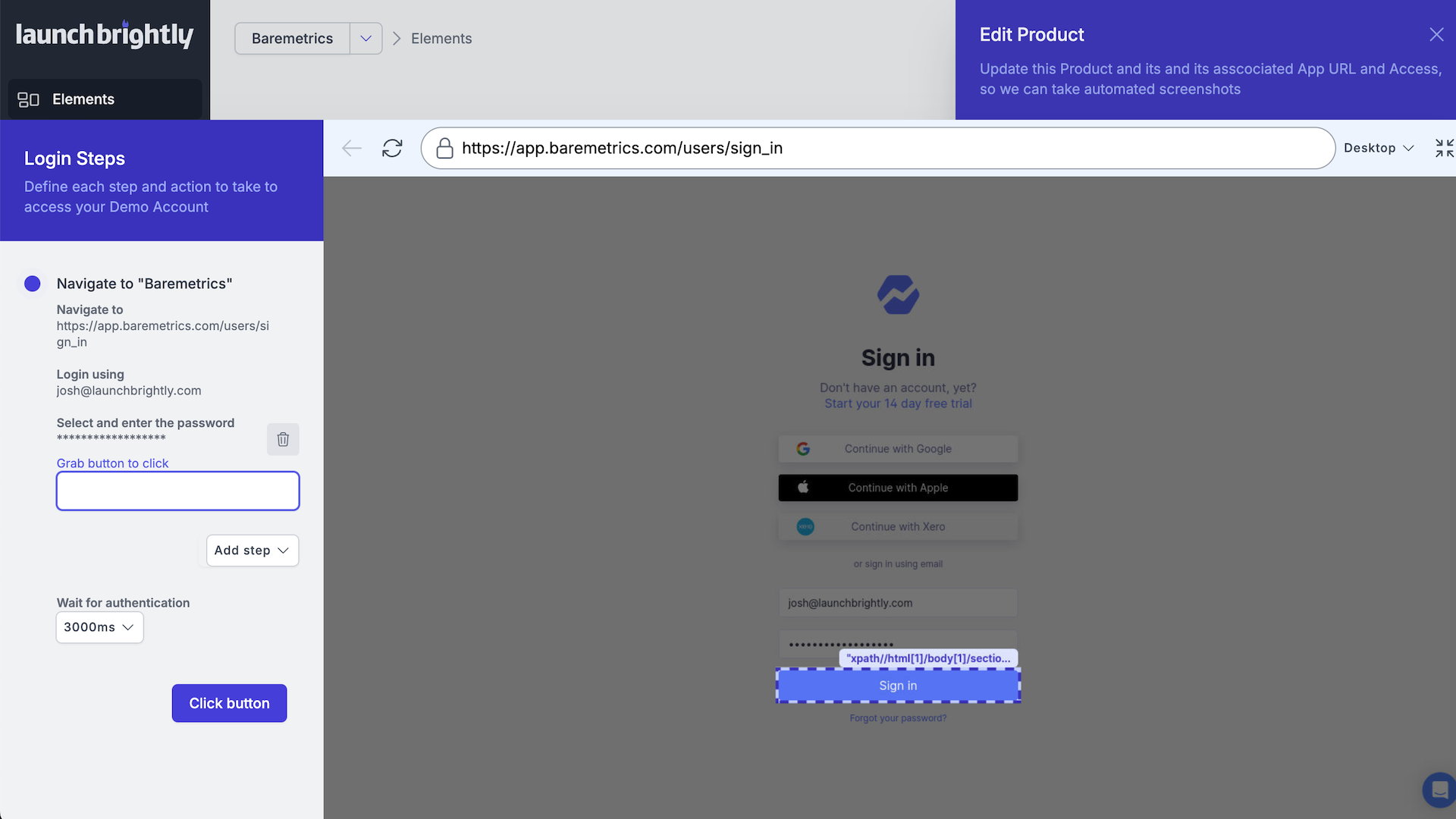
A Login Profile is a fully customizable process that mirrors the exact steps a real user takes to sign into your product, enabling LaunchBrightly's screenshot automation platform to securely capture screenshots behind your product’s login. It uses the same security and access controls your users already rely on — no unnecessary plugins or extensions, and no need for engineering support.
Why Multiple Login Profiles Matter…
Modern products rarely have a single logged-in experience. With LaunchBrightly, you can easily connect any of your demo accounts or environments, set a default, and switch profiles anytime you need to. This allows you to seamlessly capture accurate screenshots across:
- Demo accounts with distinct data sets
Capture industry-specific or curated demo data without polluting or resetting a shared account. - Different editions or plans
Ensure screenshots reflect the features, UI states and limits users actually see on each tier. - Different user roles and permissions
Generate permission-aware screenshots for admins, editors, agents, managers and viewers. - Staging vs production environments
Prepare help content before launch by capturing screenshots from staging or pre-release. - Feature flags and graduated rollouts
Document beta features and flag-enabled experiences not yet visible to all users. - White-label or branded customer instances
Handle variations in logos, domains, colors and terminology cleanly and consistently. - Partner, reseller or internal-only views
Document experiences that live behind separate credentials without breaking your workflow.
All of your screenshots — no matter which Login Profile they’re captured from — live in a single, clean repository and are managed through a unified LaunchBrightly screenshot audit workflow that keeps your help center accurate, up-to-date and in sync as your product scales.
Want to see Multiple Login Profiles in action?
We’d love to do a POC — at no cost — where our Implementation Specialists create login profiles for each of your demo accounts and set up a dozen or so automation recipes for you!