By Josh Peacock, Dennis Mortensen In Newsletter | July 2026
Replace one screenshot. Update every article automatically.
Newsletter 25
Our newsletter from July 16th, 2026. Feel free to sign up to get this directly in your inbox
Manual screenshot mapping has a breaking point
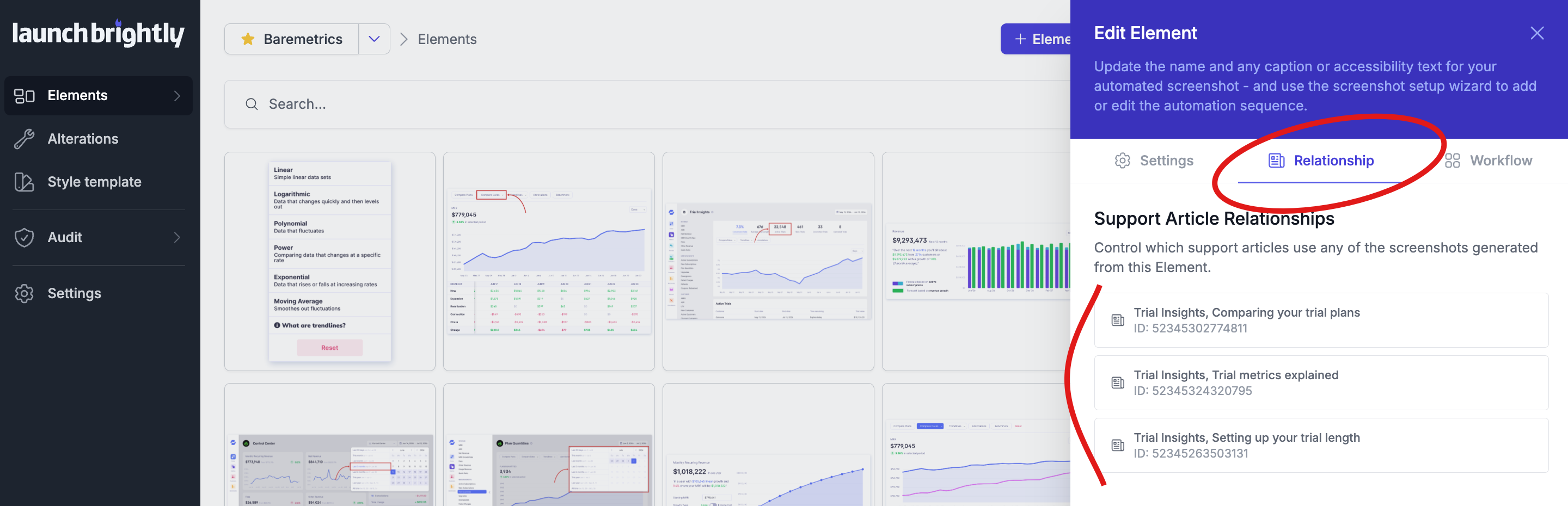
Screenshots naturally become shared assets over time. A screenshot of your navigation might show up in onboarding guides, troubleshooting articles and feature documentation. A settings page gets referenced across an entire section of your help center. Your dashboard quietly becomes one of the most reused images in your documentation.
That's a good sign. Your team is building reusable content and consistent explanations across your help center — it’s the backbone of good documentation.
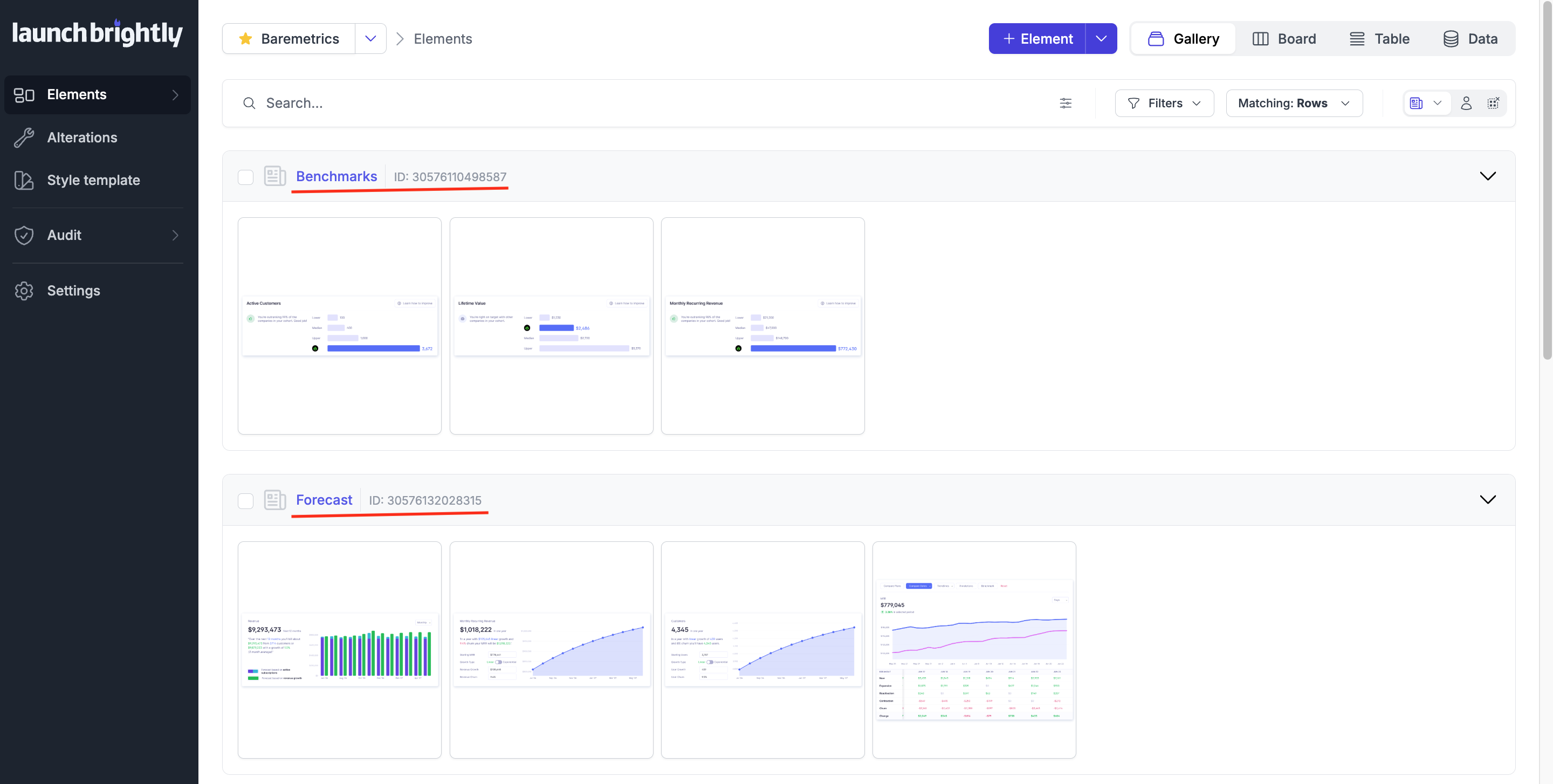
It's also where things get harder. Every time one of those screenshots changes, every article that depends on it needs to change too. Early on, this is manageable. Your help center is small enough that you can hold the map in your head. Once you're in the hundreds that mental map quietly breaks down. Knowing exactly where each screenshot lives stops being obvious — updates turn into a manual exercise in searching, double-checking and hoping nothing was missed.
Automatically map every screenshot at scale
LaunchBrightly has always kept your screenshots current — when your product changes, an updated screenshot gets generated automatically. But an accurate screenshot sitting in a repository only solves half the problem. The other half is knowing every article that depends on it.
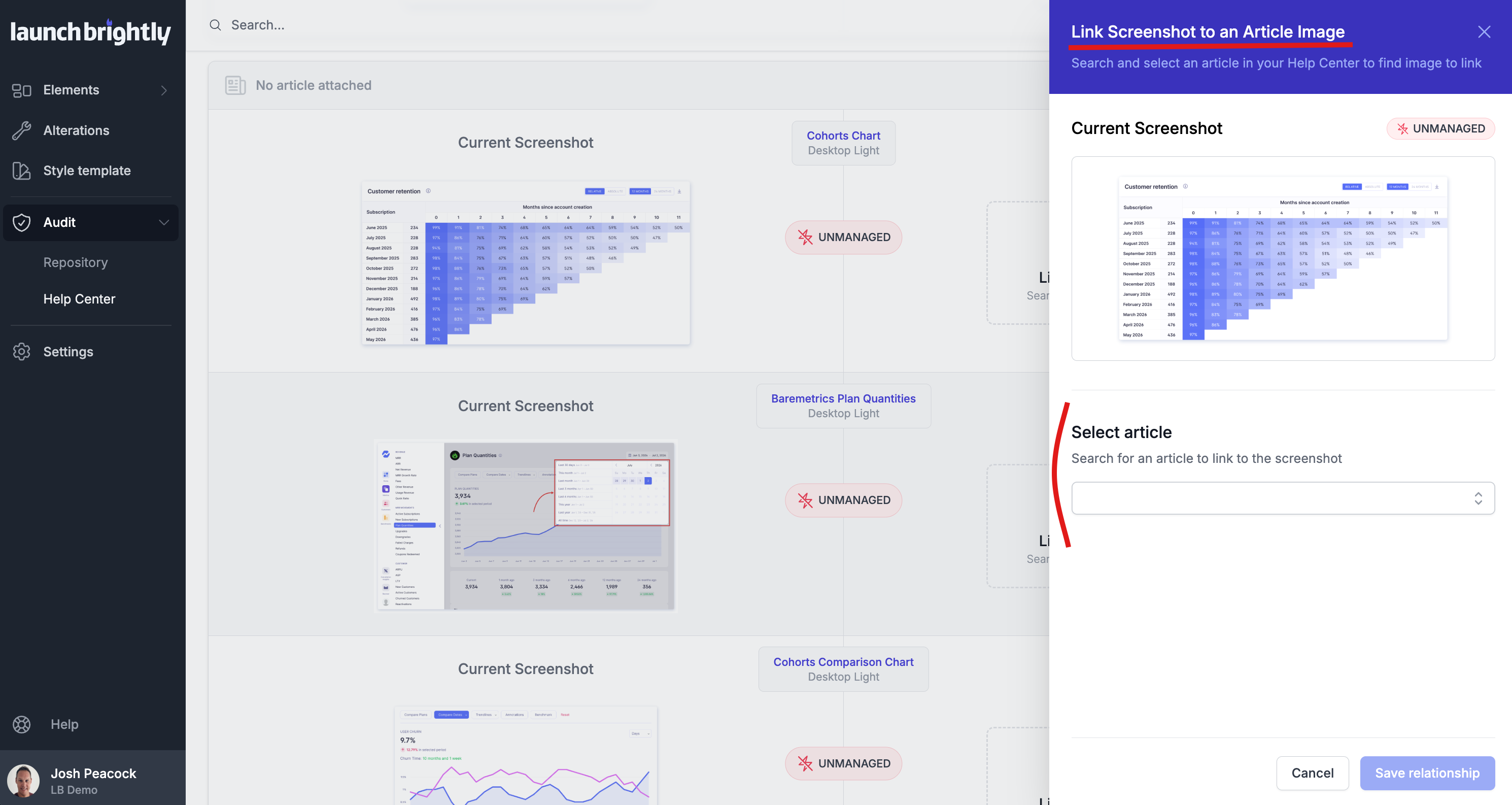
That's why we maintain a live relationship between every screenshot in your repository and every help article that references it. As screenshots are added, updated or reused, those relationships update automatically — giving you an always-current map of how screenshots connect across your documentation.
LaunchBrightly doesn't just store your screenshots in a central repository. It knows exactly where they're used — and automatically identifies any unmanaged screenshots awaiting automation.
Approved once. Synced everywhere.
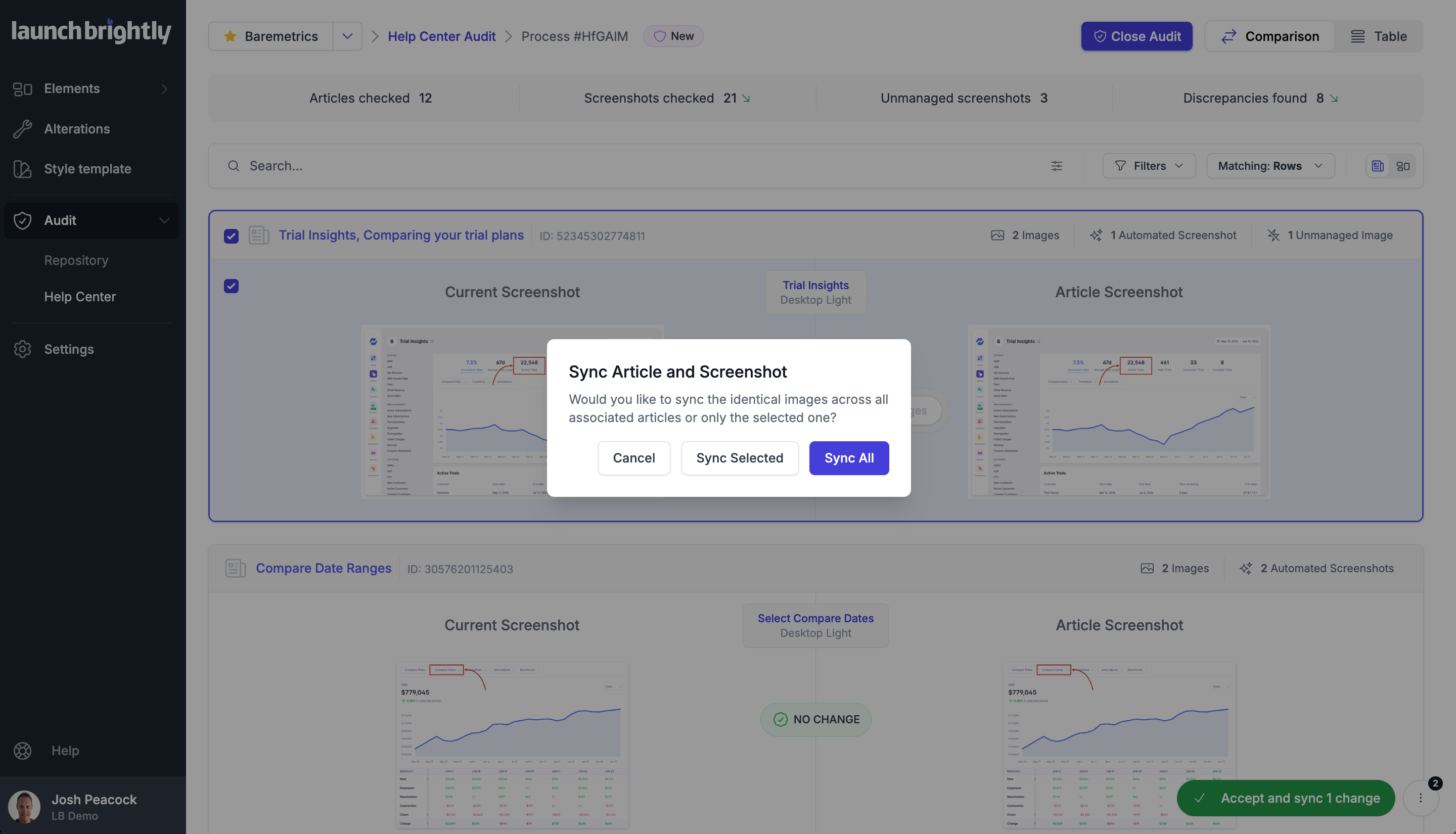
When a screenshot changes, you review and approve the update — and LaunchBrightly automatically syncs the change across every article where it appears. No hunting through articles. No tracking where screenshots are used. No wondering whether you caught every occurrence.
It's the difference between updating screenshots and managing screenshots at scale.
Your screenshots aren't standalone assets. They're part of a larger documentation system that changes alongside your product — and keeping every article accurate means knowing where those screenshots belong, and when they need to change.
See how LaunchBrightly tracks every screenshot across your help center.
We'd be happy to show you how it works with your own documentation — and how one approved screenshot can automatically update every article where it's used.