By Josh Peacock, Dennis Mortensen In Newsletter | October 2026
See screenshot automation working on your own product
Newsletter 30
Our newsletter from October 15th, 2026. Feel free to sign up to get this directly in your inbox
Screenshot automation put to work against your workflows
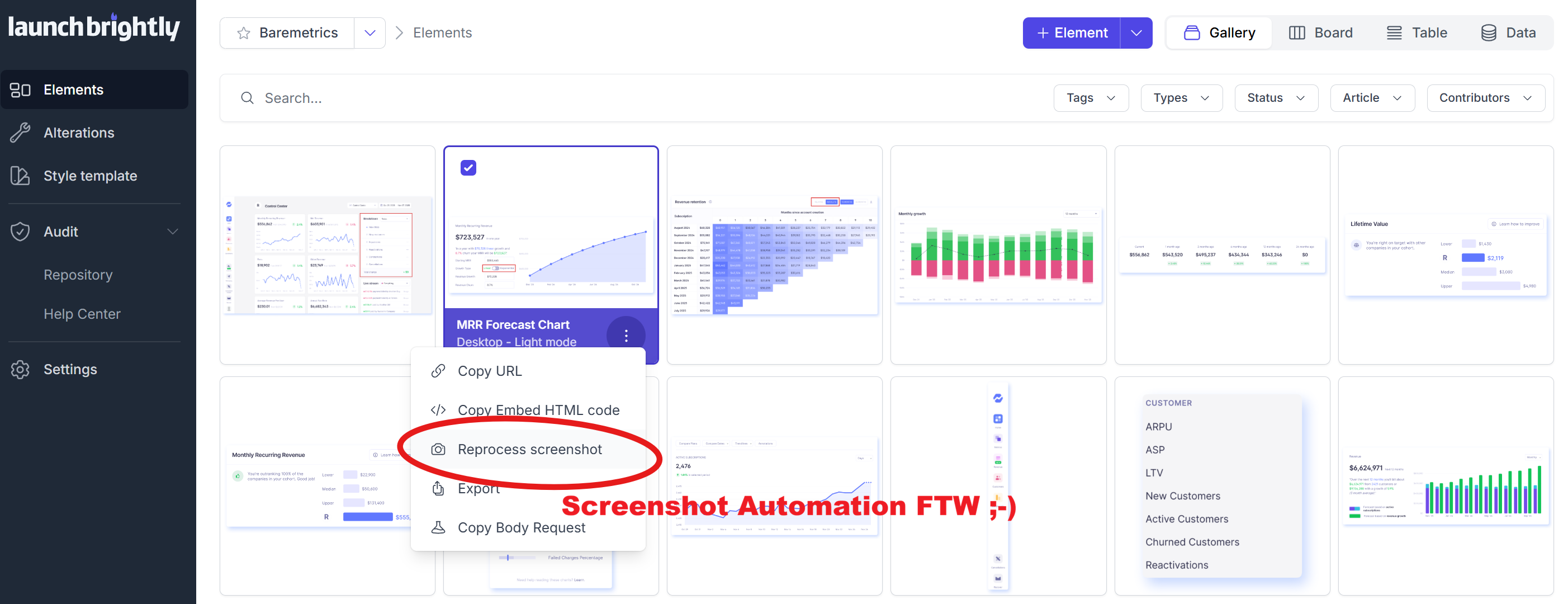
A demo is a great way to see how screenshot automation works. But there’s a big difference between watching it run against somebody else’s product and seeing fresh screenshots automatically generated from your own product and compared against the screenshots already live in your help center.
That’s exactly why we offer a no-cost Proof of Concept.
The POC was where screenshot automation really clicked for us," said Zaya Amgaabaata, Product Manager at Endear. "We got to see it working across our own product and help center, end to end — and immediately saw the potential to scale it across our entire documentation.
Our Implementation Specialists put the platform to work against your own environment using a representative set of help articles and real product workflows. We create your first automation recipes and show you the complete workflow — from generating fresh screenshots through review, approval and sync — so you can see exactly how it works for your team before making any commitment.
We’ll get it up and running for you
Getting started is simple. Just share credentials for the demo or staging account you’d like us to capture screenshots from, and our Implementation Specialists will take care of the initial setup — no engineering support required.
From there, we create your first automation recipes across a representative set of workflows, apply your screenshot styling and generate fresh, documentation-ready screenshots directly from your product. Your team can focus on reviewing the output, providing feedback and seeing how the workflow fits into your documentation process.
A proven foundation for full implementation
By the end of the POC, you’re walking away with more than a look at the platform. You have working screenshot automation running against your own product and help center, including:
- Working automation recipes. Created from real product workflows and ready to be reprocessed whenever you need fresh screenshots.
- Fresh, documentation-ready screenshots. Generated directly from your product and automatically styled and annotated to your visual standards.
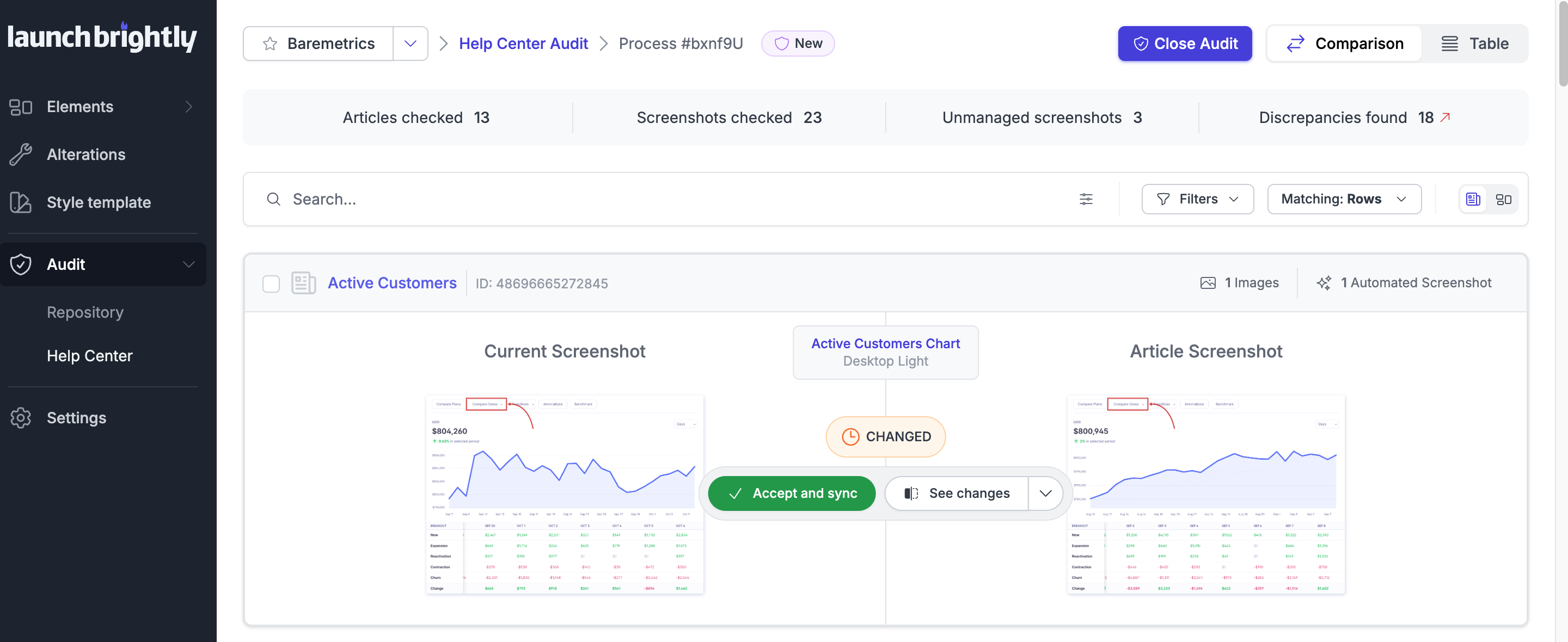
- Your first screenshot audit. Freshly generated screenshots compared against what’s currently live in your help center, making it easy to see exactly what’s changed.
- A working review, approval and sync workflow. See exactly how changes are surfaced, reviewed and approved before updated screenshots are synced back into your help center.
- A screenshot governance loop, proven end to end. See the complete process working across a representative set of articles — from automated screenshot generation through audit, review and sync.
And the best part? Everything we put in place during the POC carries directly into a full implementation. If you decide to move forward, we simply build on the work already proven and scale it across the rest of your help center.
You don’t need to take our word for what screenshot automation could do for your team — you can see it working for yourself!
Want to get a feel for the platform first? Grab some time to chat with us here.