Customer Stories
From POC to full rollout; making screenshot automation a reliable part of your workflow
Discover how Endear validated screenshot automation through a focused Proof of Concept—and set the stage for a lasting automation strategy.

- Company
- Endear is a clienteling and CRM platform designed for modern retail teams, helping brands connect with customers through personalized outreach that drives in-store and online sales. Built to empower associates with customer insights and communication tools, Endear enables retailers to deliver exceptional, data-driven shopping experiences at scale.
- Industry
- Software, Retail Technology, CRM
Overview
Keeping product screenshots up to date is a constant challenge for support and documentation teams. As products evolve and interfaces change, maintaining hundreds of visuals quickly becomes a manual, time-consuming chore. Before long, help center screenshots fall out of sync with the live product—eroding accuracy, consistency, and trust.
Manually updating screenshots one by one isn’t sustainable anymore. To keep pace with modern release cycles, teams need a scalable, automation-powered approach—one that ensures visuals stay accurate and current without the ongoing manual effort.
Still, for many teams, the path to automation can feel uncertain. The concept sounds simple enough, but with limited tooling and screenshot automation still an emerging space, understanding how to put it into practice can be daunting.
That’s where LaunchBrightly’s two-week Proof of Concept (POC) comes in. These short, no-cost evaluations are designed to validate technical setup, showcase automation in action, and—most importantly—build confidence that screenshot automation can fit seamlessly into your workflow.
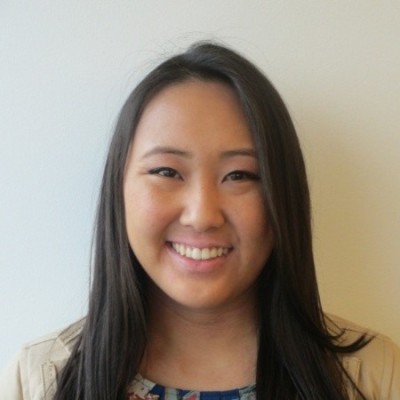 We were excited to get a real, tangible preview of what screenshot automation could really mean for usZaya Amgaabaatar, PM at Endear
For Endear, keeping visuals fresh had long been a challenge. Their help center needed to reflect the fast pace of their product updates—without demanding hours of manual upkeep. Through a focused two-week POC with LaunchBrightly, Endear explored how screenshot automation could maintain visual accuracy, reduce manual effort, and ultimately become a reliable, long-term part of their documentation process.
Here’s a look behind the scenes at what happened during that POC—and how it set the stage for a lasting automation strategy.
Setting the stage
To show how screenshot automation could seamlessly integrate into Endear’s help documentation process—and deliver continuously fresh, fully up-to-date product screenshots, the Implementation Specialists at LaunchBrightly designed a targeted POC. The goal was to move beyond theory and demonstrate, in Endear’s own environment, how automation could take manual work out of screenshot maintenance.
- Create a custom login profile to securely capture screenshots from behind the authentication of Endear’s demo environment;
- Identify a handful of help articles to build 10-15 automation recipes for existing screenshots—validating the end-to-end technical setup and previewing the generated automation output; and
- Demonstrate how screenshots are synced directly to Intercom, and governed through a rigorous audit-and-approval workflow.
“On the surface, the steps seemed simple—but the prospect of seeing automation applied to our actual help articles and screenshots was enticing,” said Zaya Amgaabaatar, the Associate Product Manager at Endear. “We were excited to get a real, tangible preview of what screenshot automation could really mean for us.”
Laying the groundwork
The POC started with LaunchBrightly’s Implementation Specialists leading the Endear team through initial account configuration, and creating a login profile to allow for secure, ongoing capture of screenshots directly from Endear’s protected demo environment. The fully customizable login profile replicates the actions of a regular Endear user—operating externally and adhering to robust security protocols already implemented for real users.
“It was such a delight being able to start testing without needing any engineering involvement”, says Zaya. “We were up and running with minimal setup—it couldn’t have been easier.”
Next, our Implementation team initiated an import on Endear’s Intercom help center—leveraging LaunchBrightly’s screenshot automation platform to scan each article in the help center, deduplicate images pixel-by-pixel, and create a centralized, searchable library of unique product screenshots in the platform.
“It was the first time we’d seen all of our screenshots in one place—we could instantly see how this could become our screenshot source of truth,” said Zaya. “Even better, every image is linked to the articles where it lives, giving us complete visibility into how visuals are used across our entire help center.”
From there, LaunchBrightly’s implementation experts turned their attention to visual consistency—collaborating with the Endear team to create a custom styling template aligned specifically with their unique brand guidelines. Every detail was defined, from annotation width, offset, and color to the size and tone of margins and backgrounds. Ensuring clean, unified and fully on-brand screenshots—because consistency matters.
It was such a delight being able to start testing without needing any engineering involvementZaya Amgaabaatar, PM at EndearFinally, the Implementation Specialists identified a set of elements—including cookie banners, support bubbles and “new” labels—that make sense in overall Endear user experience but that can distract from the focus of a product screenshot in the context of a help article. A global remove element was applied to each, ensuring the automation platform automatically removes them whenever new screenshots are generated —keeping every image clean and free of visual clutter.
For Endear, these refinements underscored the true value of automation—it wasn’t just about speed or efficiency, but about achieving consistency, polish, and brand alignment at scale.
“The attention to detail was incredible. It feels like LaunchBrightly has thought of every little detail,” said Zaya. “Automation was coming to life to save us from the burden of manual screenshots—as well as elevating the overall quality and consistency of our product visuals.”
Creating the automation recipes
The second, and final, week of the POC was focused on creating the first dozen or so automation recipes to capture automatic screenshots of Endear’s product. In collaboration, two key help articles were identified as being good candidates for the initial batch of automation recipes:
📄 Endear: How can I change my SalesChat availability status?
📄 Endear: How do I disable/re-enable a user?
Our implementation experts at LaunchBrightly had created automation recipes for each of the screenshots in these articles, and the platform was automatically generating screenshots that reflected the latest UI—automatically catching updates like the recent renaming of the “Users” menu to “Staff.” Each screenshot was annotated consistently, queued for review, and ready to be synced back to Intercom on approval with a simple approval workflow.
"For our support team, who used to spend hours updating visuals, seeing changes captured and applied automatically was truly transformative!” Zaya says, “Being able to toggle between old and new versions in a gallery view made approvals fast, confident, and easy. It was our first real glimpse at how effortless screenshot automation could be!”
A lasting automation strategy
By the end of the two-week POC, the Endear team had seen firsthand how automation could dramatically change the way they managed product visuals. What began as a small test quickly proved that LaunchBrightly could scale—handling many hundreds of screenshots with the same consistency, accuracy, and ease as the initial dozen.
"As soon as we saw the finished screenshots, it clicked," said Zaya. "Everything looked clean, consistent, and completely on-brand—without us having to lift a finger."
Armed with that confidence, Endear partnered with LaunchBrightly on a full rollout—leveraging both the screenshot automation platform and LaunchBrightly’s team of Implementation Specialists to:
Create automation recipes for all existing screenshots, giving Endear’s help center a comprehensive visual refresh with a set of new, fully up-to-date product screenshots synced directly to Intercom; and Establish a robust, fully automated screenshot governance process that ensures screenshots remain current, accurate and on-brand moving forward—without manual upkeep.
The result was thousands of newly created automation recipes and fresh screenshots synced across hundreds of Intercom help articles—and a modern, scalable workflow that makes screenshot maintenance feel effortless.
“We couldn’t believe the LaunchBrightly team handled all the heavy lifting of creating our initial automation recipes—it honestly felt like a dream come true,” said Zaya. “What used to feel like a constant, manual grind has become a repeatable, well-governed workflow for managing screenshots. Our help center now stays fresh and accurate week after week—without the stress or time sink of doing it all manually.”
Wrapping up
In just two weeks, teams can go from curiosity to confidence. LaunchBrightly’s Proof of Concept (POC) is a focused technical validation that lets you preview screenshot automation with your own product — refreshed against your help center and styled to your brand. It’s not a full implementation, but rather a hands-off way to experience automation in action and see how it could elevate your documentation workflows before committing to a broader rollout.
We'd love to show you how this works in real life, so feel free to shoot us an email at hello@launchbrightly.com — OR just grab some time on our calendar. 🤗