Automatically approve routine screenshot changes
Define which screenshot changes can be accepted without manual review, and automatically approve and sync those updates directly to your help center — keeping your documentation aligned with your product as it evolves.
Define which changes can be approved
Decide upfront which types of screenshot changes you're comfortable accepting automatically. Set approval rules for predictable changes like updated dates and times, email addresses, currency values, or phone numbers, and let the platform apply them whenever your product screenshots are audited.
When a screenshot change matches your selected rules, it's automatically approved. Anything outside those rules is flagged for your review, giving you control over exactly which changes are handled automatically.
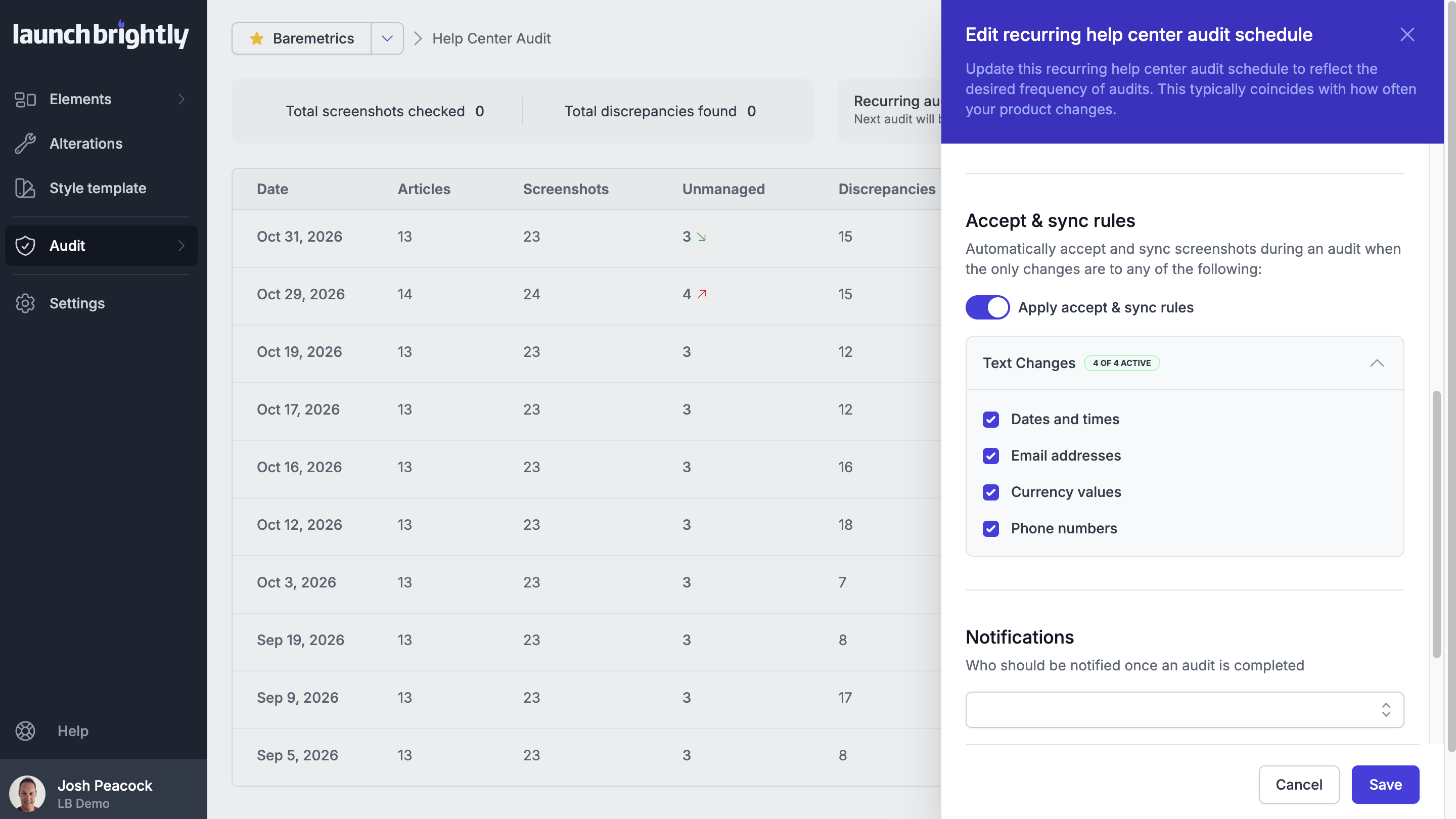
Automatically approve and sync screenshot changes
With your approval rules in place, qualifying screenshot changes are automatically approved during your audits and synced directly into the relevant help center articles. Your documentation stays up to date without requiring you to review and approve each individual update.
Every automatically approved change is recorded in your audit results, with screenshot comparisons available whenever you want to see exactly what changed. This means routine updates can happen automatically, while your team retains full visibility and control over the changes being published to your help center.
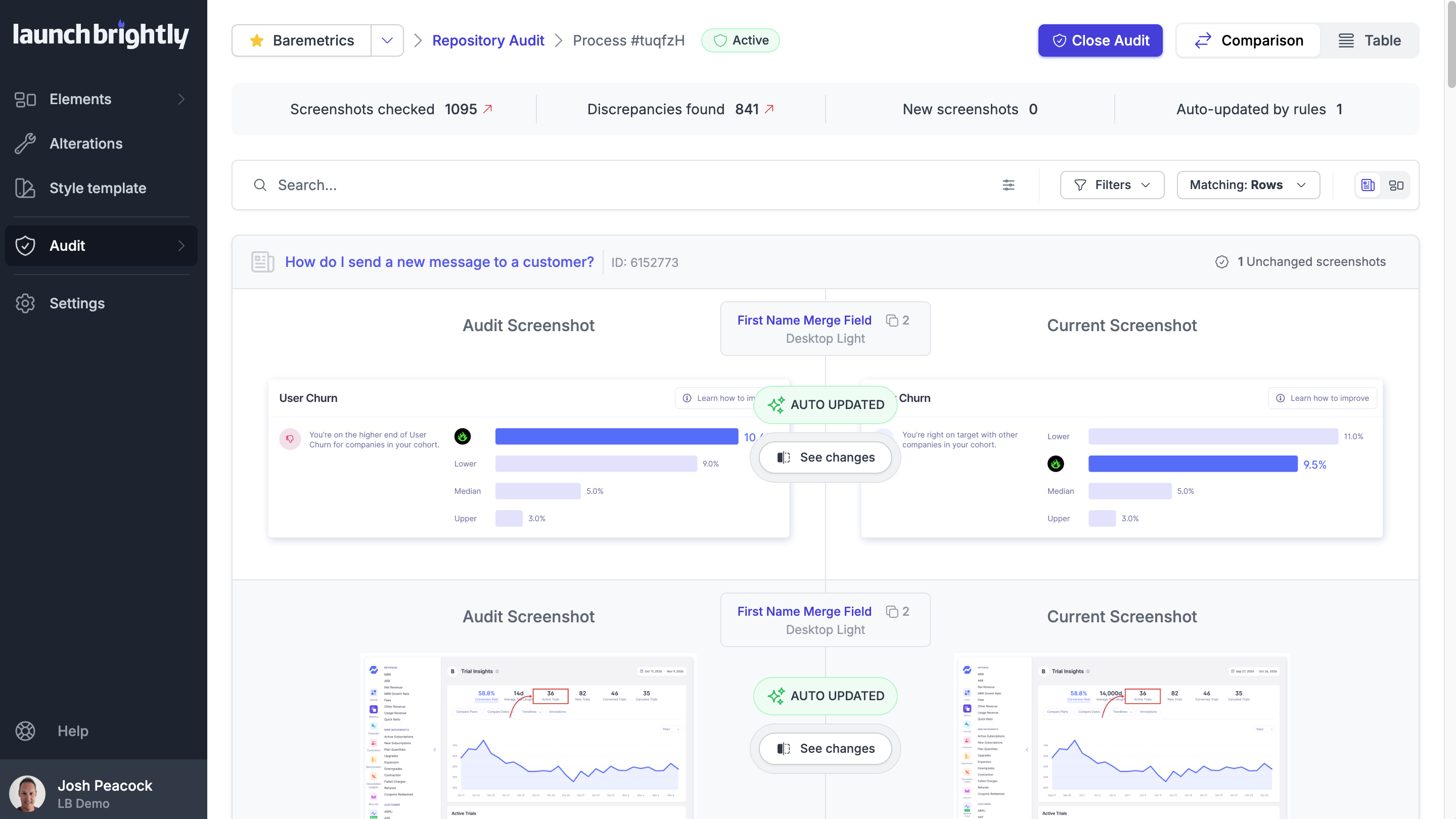
Millions of screenshots served fresh







Now it seems a little silly that we continually updated images for all of our help articles. Manually. Over and over again. Screenshot Automation from LaunchBrightly is a peek into the future.