By Josh Peacock, Dennis Mortensen In Newsletter | August 2026
Screenshots from behind your application's login — no engineering required.
Newsletter 26
Our newsletter from August 4th, 2026. Feel free to sign up to get this directly in your inbox
We behave like one of your users
All too often, evaluating automation software begins with excitement but quickly becomes an engineering conversation. Instead of focusing on how a platform will improve your documentation workflow, discussions turn to integrations, APIs, SDKs and where the work fits amongst an already busy engineering roadmap.
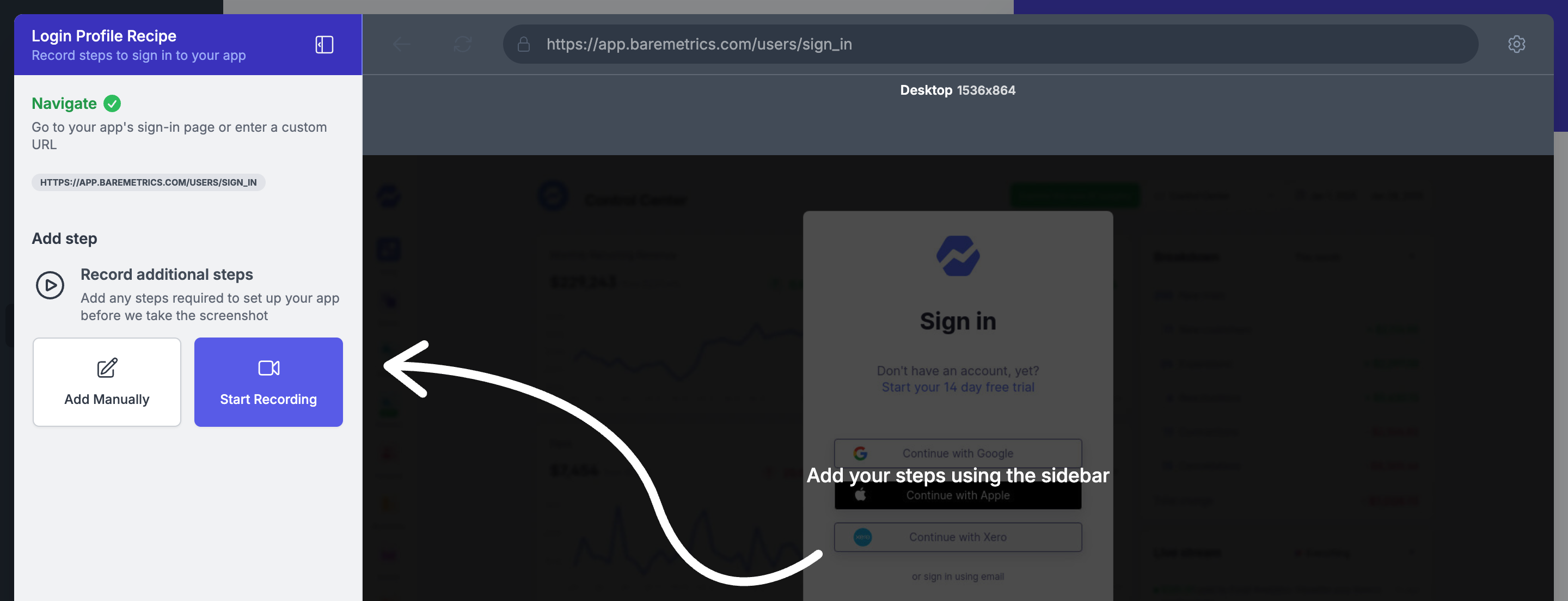
When we built LaunchBrightly, we deliberately chose an outside-in approach.
Rather than integrating inside your application as another step in your engineering pipeline, our platform works entirely from the outside and behaves like one of your users would. We spin up a browser in the cloud, authenticate using a demo account you provide, navigate to the right page, prepare the application for capture, and generate the screenshot you've requested. Once complete, the entire session — browser, machine and all — gets discarded.
To your application, LaunchBrightly is simply another regular, authenticated user.
Instead of asking you to build a new security model for our platform, we operate within the one you've already invested in.
Built on the security you've already established
Because authentication happens exactly like it would for one of your users, LaunchBrightly naturally adheres to the strict security protocols already protecting your application. There’s no need for privileged access, no custom APIs or no engineering-built integrations to maintain — just the same authentication process your users complete every day.
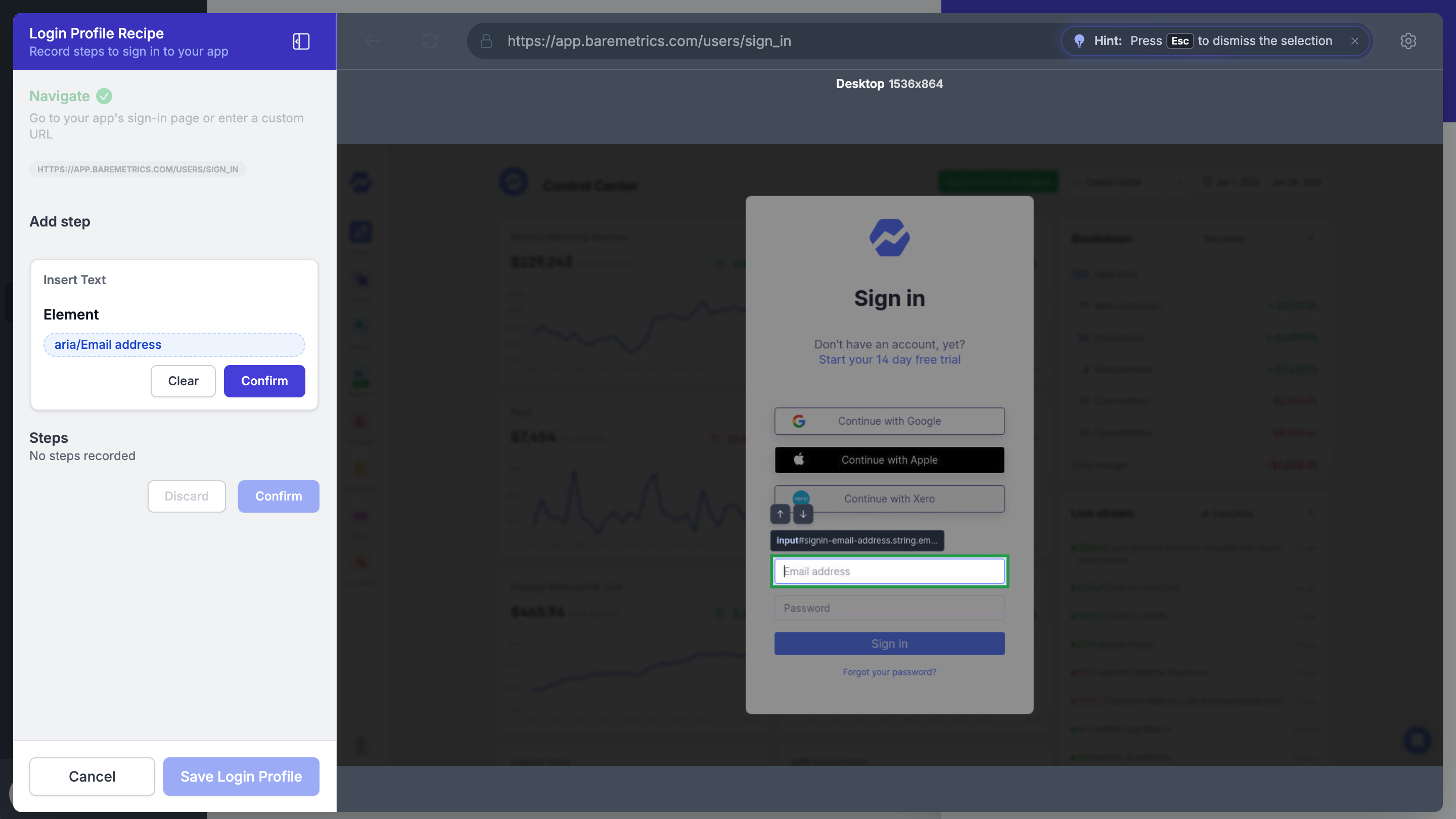
That empowers documentation and support teams to own the entire setup process themselves. Simply configure a secure Login Profile using the credentials for your preferred demo account, and LaunchBrightly is set up to programmatically capture screenshots from behind the authentication of your application. Your team stays in control of the documentation while engineering stays focused on shipping product.
Your authentication. Your way.
No two products authenticate in exactly the same way. Some use providers like Okta or Auth0, while others have built custom authentication flows specifically for their business.
That's why Login Profiles are fully customizable. Instead of expecting your product to adapt to us, LaunchBrightly adapts to your product. Whether your login flow spans multiple screens, uses identity providers or follows a completely bespoke authentication process, we provide the flexibility to mirror the experience your users already follow.
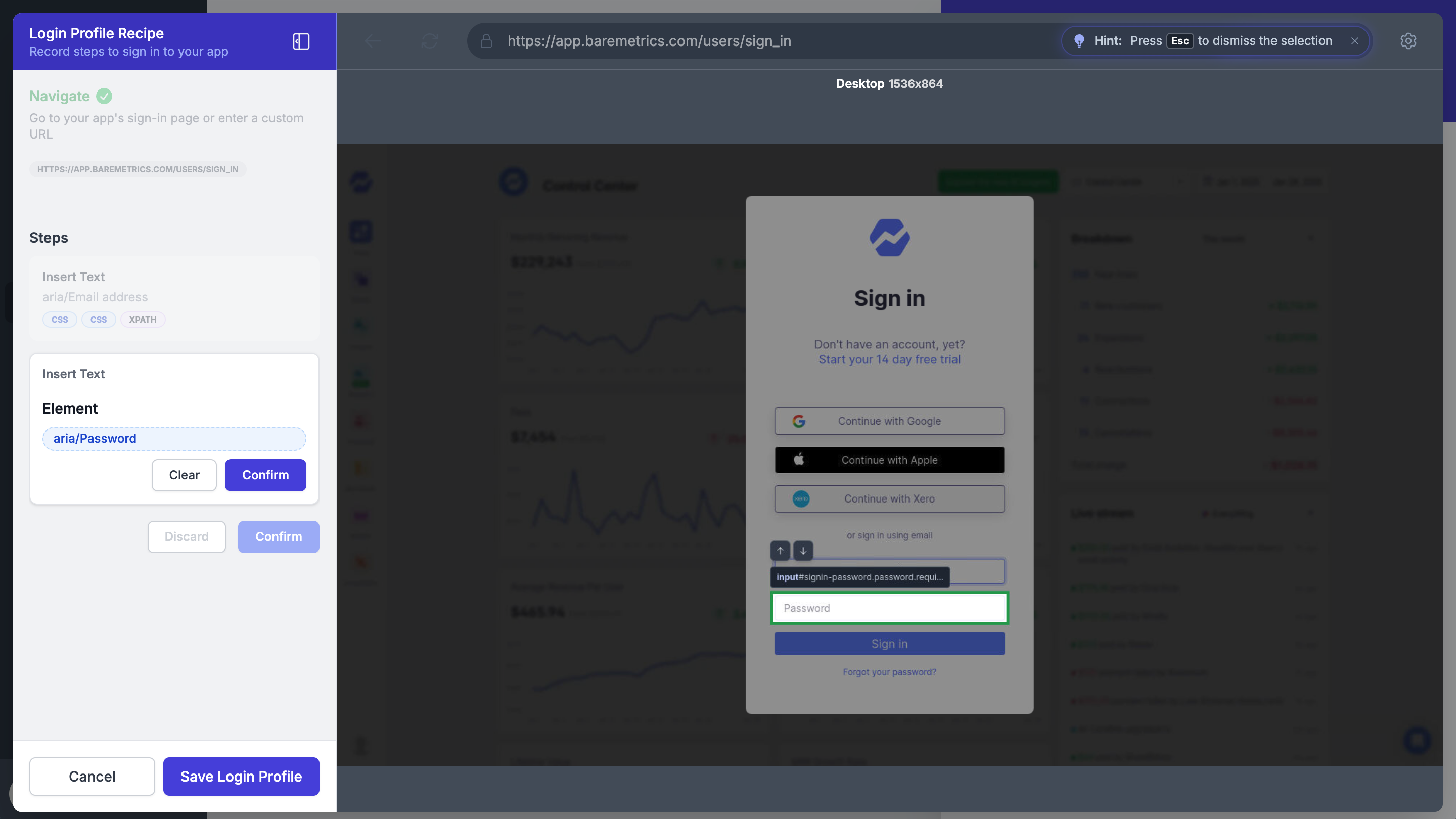
Once configured, that Login Profile becomes the foundation for every automated screenshot generated inside your application.
Configure it once. Reuse it forever.
The Login Profile quietly does its job in the background every time a screenshot is generated, letting your documentation team focus on creating great content instead of repeatedly signing into the same demo account to capture screenshots.
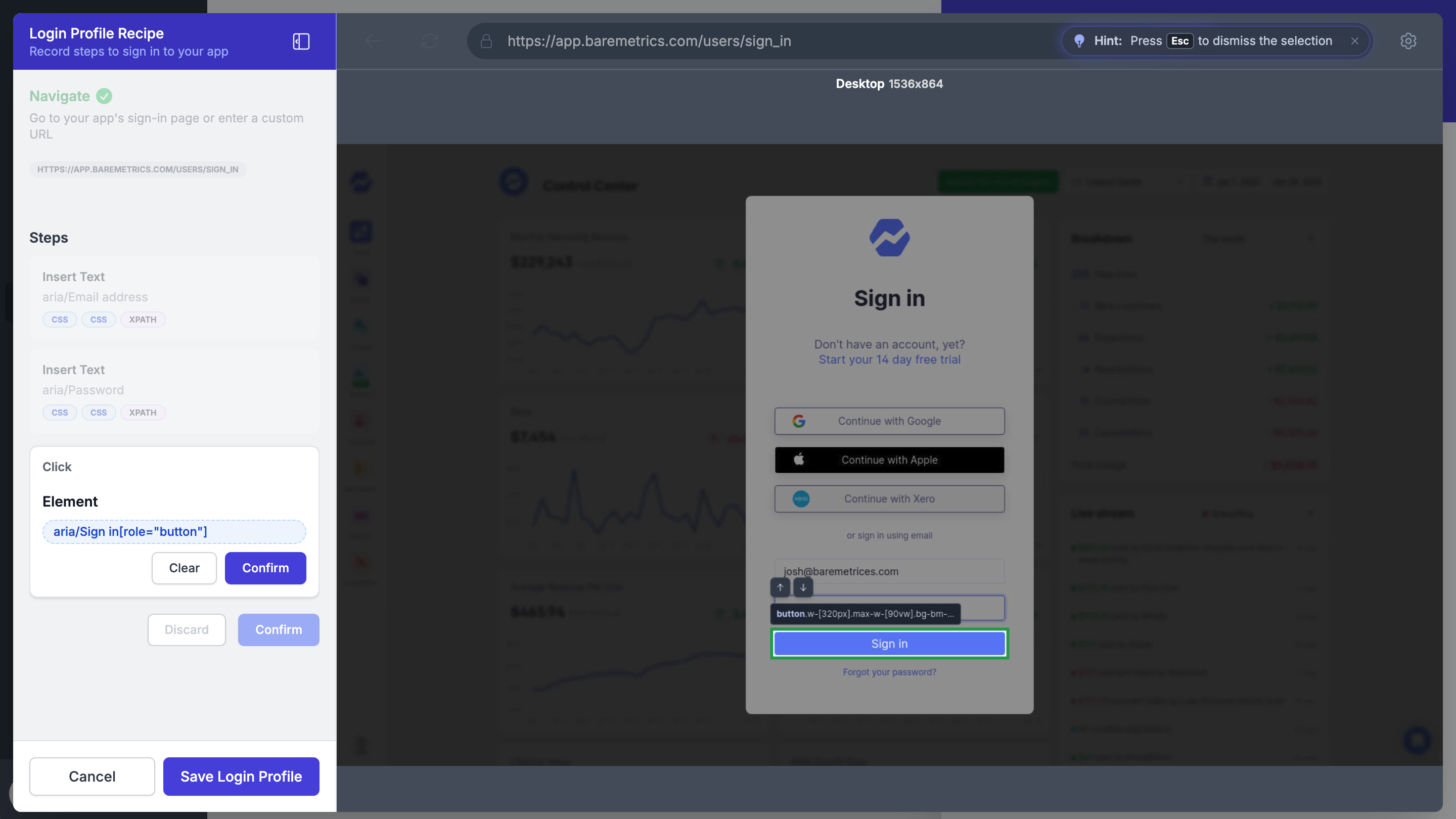
Every time a fresh screenshot is generated — whether you're creating a new recipe, running a scheduled screenshot audit or regenerating screenshots after your product changes — the platform automatically applies the Login Profile you've designated for that recipe. It signs in, navigates to the right location and prepares your product for capture — no need to add login steps to every recipe or every time you generate a screenshot.
One product. Many experiences.
As your product evolves, so does complexity. Different plans unlock different features. Different roles see different UI. Feature flags quietly expose tomorrow's product before it ships, and staging environments let documentation teams get ahead of launch schedules.
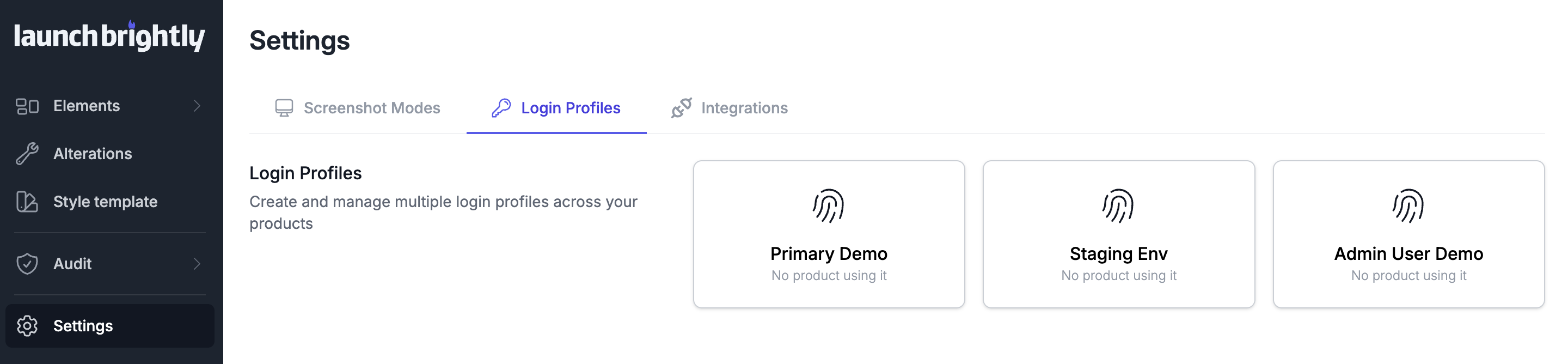
LaunchBrightly's ability to handle Multiple Login Profiles allows you to connect any of your demo accounts or environments, set a default, and switch profiles whenever you need to — so you can capture screenshots across different plans, roles, staging and production environments, and even feature flags. All managed through the same centralized repository and screenshot audit process that keeps your help center accurate and up-to-date as your product scales.
Want to see how we can generate automated screenshots from behind your authentication?
We’d love to configure a Login Profile for one of your demo accounts live, and show you how we can generate accurate, always-current screenshots of your product 😄