Customer Stories
Generating documentation screenshots in 8 different variants from a single automation recipe
How iGroups powers adaptive documentation by automatically generating and maintaining screenshots across every device, color scheme, and language their users encounter — without duplicating a single workflow.

- Company
- iGroups is a collaboration and group administration platform focused on helping organizations, communities, and teams communicate and work together more effectively. Founded in 2001, the platform supports thousands of users worldwide through a combination of messaging, workflow, and collaboration tooling designed to simplify coordination and improve productivity across devices and environments.
- Industry
- Communications Software, Collaboration Platforms, SaaS
Overview
Modern software experiences are no longer static. Applications adapt dynamically to the device a user is on, the language they speak, and the color scheme they prefer. Dark mode. Mobile layouts. Localized interfaces. The product your customer in Denmark sees on their phone looks meaningfully different from the one your customer in the US sees on their desktop.
But most documentation systems haven't kept pace. The vast majority of software companies still rely on a single set of screenshots — typically captured in one mode: full desktop width, in a default light color scheme and in English language. Users are left to mentally bridge the gap between what they see in the documentation and what they actually encounter inside the product.
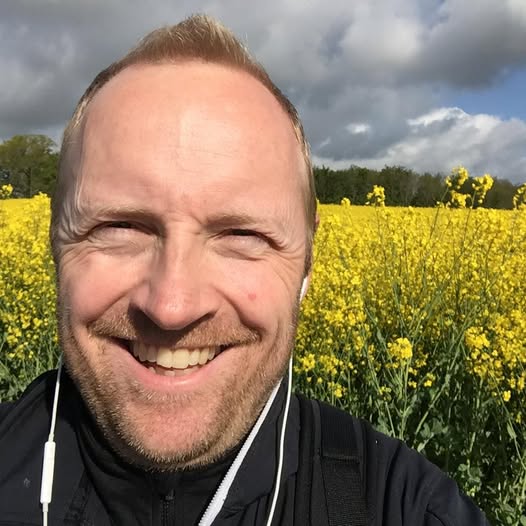 One recipe, eight variants — it fundamentally changes what's possibleKent Fonager, CEO and Founder of iGroups
For many teams, that trade-off is simply the cost of doing business. The operational reality of maintaining multiple screenshot variants — across devices, themes, and languages — has always made it impractical to attempt at any meaningful scale.
The team at iGroups set out to change that. By partnering with LaunchBrightly and implementing custom rendering, iGroups built a documentation system where screenshots automatically reflect the user's actual experience — their device, their language, their color theme. What once would have been operationally impossible now runs continuously, as part of their normal documentation workflow.
Challenge
The iGroups platform is built for a global, multi-device audience, and the team started out with a clear goal: to create an adaptive documentation experience where screenshots feel native to whatever a user is actually seeing inside the product. If a user is on mobile, in dark mode, browsing in Danish — the documentation should reflect that. The goal seemed obvious. The math made it anything but.
Every additional dimension multiplies the total screenshot count. Add dark mode support and you double the number of screenshots required. Add mobile layouts and you double it again. Add a second language and you double it once more. A documentation set that begins with 100 screenshots becomes 800 the moment you commit to full coverage across devices, themes, and languages.
And unlike a one-time effort, every single one of those 800 screenshots needs to stay current as the product evolves. That's not a documentation project — that's a full-time maintenance burden. Most teams never attempt it. The operational weight of building and maintaining that many variants manually is enough to make the idea a non-starter before it ever gets off the ground.
The challenge wasn't just volume. It was the interconnected nature of the problem. Keeping screenshots current across eight variants — while maintaining visual consistency, supporting ongoing product changes, and doing all of it without duplicating workflows or running separate systems — required a fundamentally different approach.
The answer wasn't building more documentation workflows — it was implementing a smarter one.
Solution
To make it work, iGroups partnered with LaunchBrightly to implement a fully automated screenshot system built around custom rendering — an approach that would turn a single automation recipe into eight continuously maintained screenshot variants, across every device, color scheme, and language their users encounter.
iGroups had designed their platform to dynamically adapt to their users' preferences — rendering
localization through Accept-Language headers, handling light and dark themes through prefers-color-scheme,
and serving responsive mobile layouts based on browser width. This meant LaunchBrightly's screenshot
automation platform could simply spin up a browser in the cloud with the exact rendering settings for each
mode iGroups wanted to capture:
- Desktop Light English
- Desktop Dark English
- Desktop Light Danish
- Desktop Dark Danish
- Mobile Light English
- Mobile Dark English
- Mobile Light Danish
- Mobile Dark Danish
Rather than building a separate screenshot workflow for every language, theme, and device combination, the team created a single automation recipe for each core workflow and concept in the iGroups platform. Each recipe runs through all eight modes automatically — producing eight distinct, continuously maintained screenshot variants from a single automation sequence.
No duplication of the underlying workflow. No separate systems. Just one recipe, rendered eight ways.
"For the first time, the scale of what we wanted to achieve with our documentation actually felt manageable," Kent said. "One recipe, eight variants — it fundamentally changes what's possible."
With screenshots now reflecting each of the different experiences their users encounter inside the product, iGroups implemented live image embedding to ensure their documentation always stays fully up-to-date. Hosted directly by LaunchBrightly and continuously refreshed as the product changes, the images are served dynamically — with the iGroups custom-built knowledge base automatically selecting and presenting the correct variant to each user at runtime.
Outcome
The result is a documentation experience that adapts to the user — automatically and invisibly. A customer opening the iGroups help documentation from a mobile phone in dark mode, browsing from Denmark, is served Danish mobile screenshots rendered in dark mode. The documentation reflects the exact experience they're having inside the product.
Roughly 100 screenshot automation recipes now produce and maintain more than 800 documentation assets — refreshed automatically, every 14 days, without any manual intervention. Before LaunchBrightly's custom rendering, maintaining that volume of continuously updated, visually consistent screenshot variants across devices, themes, and languages would not have been operationally possible. It simply wouldn't have happened.
LaunchBrightly's side-by-side Audit comparisons added an unexpected layer of value as well. Beyond keeping screenshots current, the Audit tooling surfaced subtle UI changes, rendering differences, and responsive layout shifts that might otherwise have gone unnoticed — giving the iGroups team visibility into product changes they wouldn't have caught through a manual review process.
Most importantly, the system is built to grow with the business. Adding a new language or supporting a new device profile doesn't require redesigning the documentation process — it means adding a new rendering mode and letting the system do the rest.
"Expanding into a new market used to mean rethinking our entire documentation process," Kent said. "Now it simply means selecting a new mode in LaunchBrightly — it just fits into what we already have and does the work for us."
We'd love to show you how this works in real life, so feel free to shoot us an email at hello@launchbrightly.com — OR just grab some time on our calendar. 🤗