By Josh Peacock, Dennis Mortensen In Newsletter | March 2026
LAUNCH: NextGen Recipe Builder — record screenshot automation faster and more intuitively 🚀
Newsletter 20
Our newsletter from March 12th, 2026. Feel free to sign up to get this directly in your inbox
A more natural, intuitive way to automate screenshots
Capturing and maintaining accurate screenshots is essential to delivering an effective help center. Great screenshots clarify workflows, reduce confusion and build customer trust.
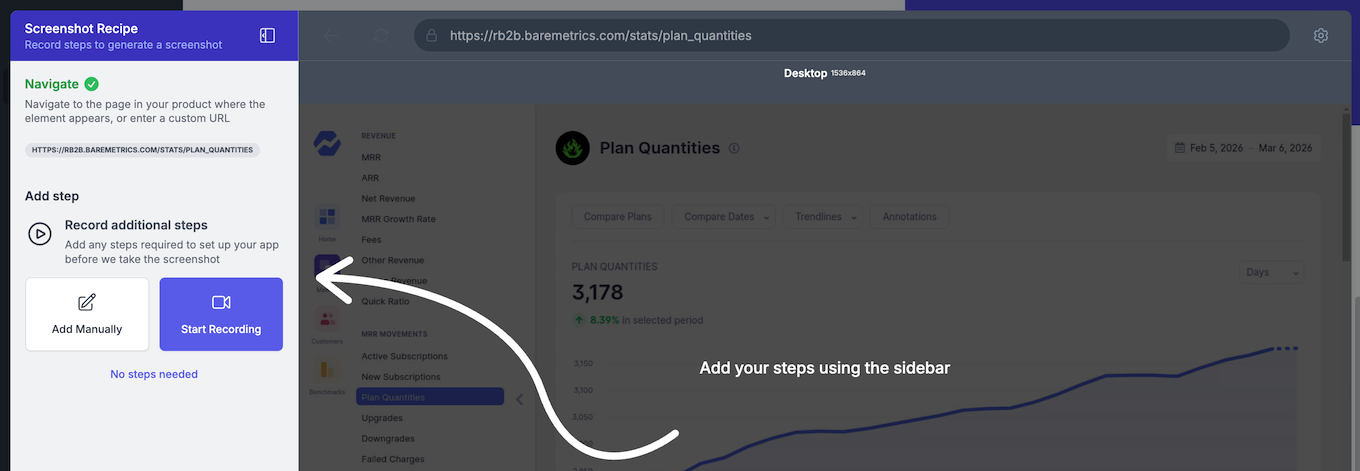
That’s why we were excited to launch our NextGen Screenshot Recipe Builder at the Customer Support Summit in NYC this week — it makes recording your screenshot automation recipes effortless! 🎉
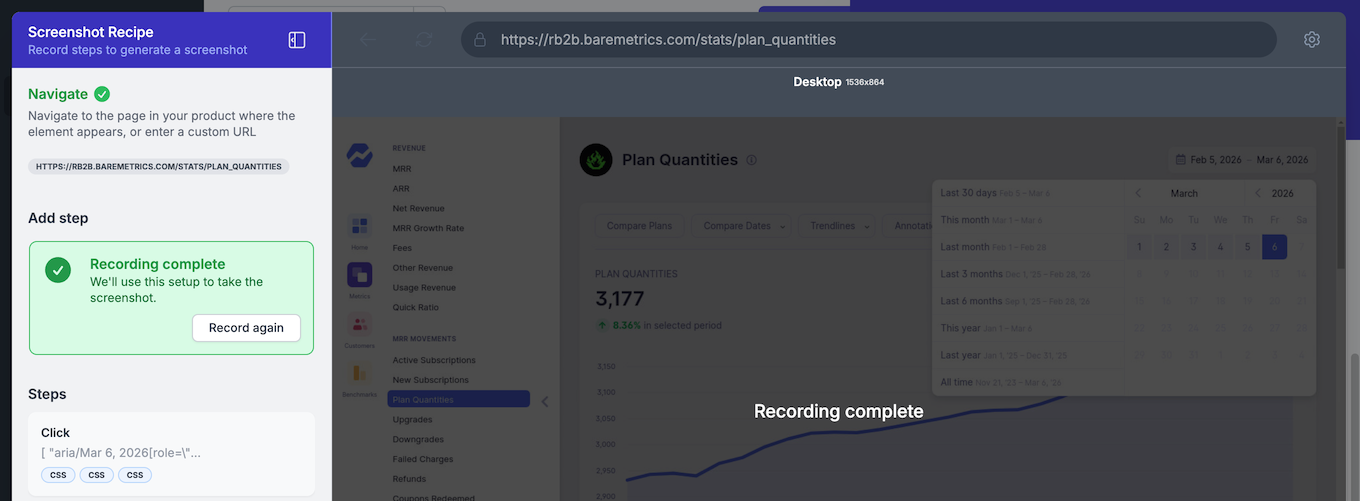
A natural, intuitive way to navigate your application and record important workflows. NextGen is much more powerful than a simple recording though — it turns your actions into reusable automation recipes so you can automatically generate fresh screenshots every time your product changes, again and again.
How it works
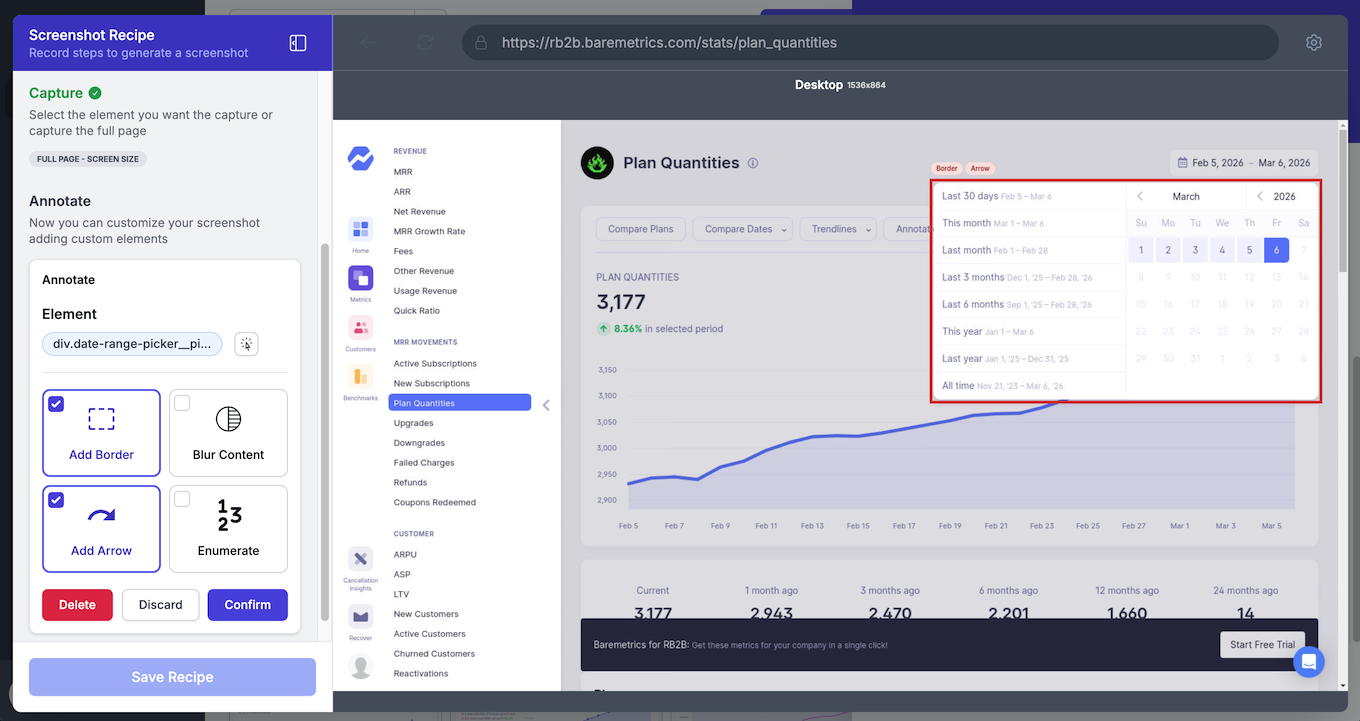
The NextGen Screenshot Recipe Builder runs as a fully functional browser-in-browser inside LaunchBrightly. The platform will open your application and log in using a secure Login Profile, allowing you to navigate your product exactly as you would in a normal browser — no plugins or extensions, and no engineering involvement needed.
- Prime screenshots naturally. Start Recording and simply use your product the way you normally would — click buttons, open menus, enter text, sort tables and take other actions — to prime the exact screen you want to capture.
- More than screen recording. Every interaction is meticulously recorded, turning real product workflows into repeatable automation recipes that can generate fresh screenshots (and animated outputs whenever you need them.
- Built-in screenshot enhancements. Add annotations, clean up elements and attach shapes, text or other callouts while recording. These enhancements become part of the automation recipe itself, and are automatically applied whenever you generate a new screenshot.
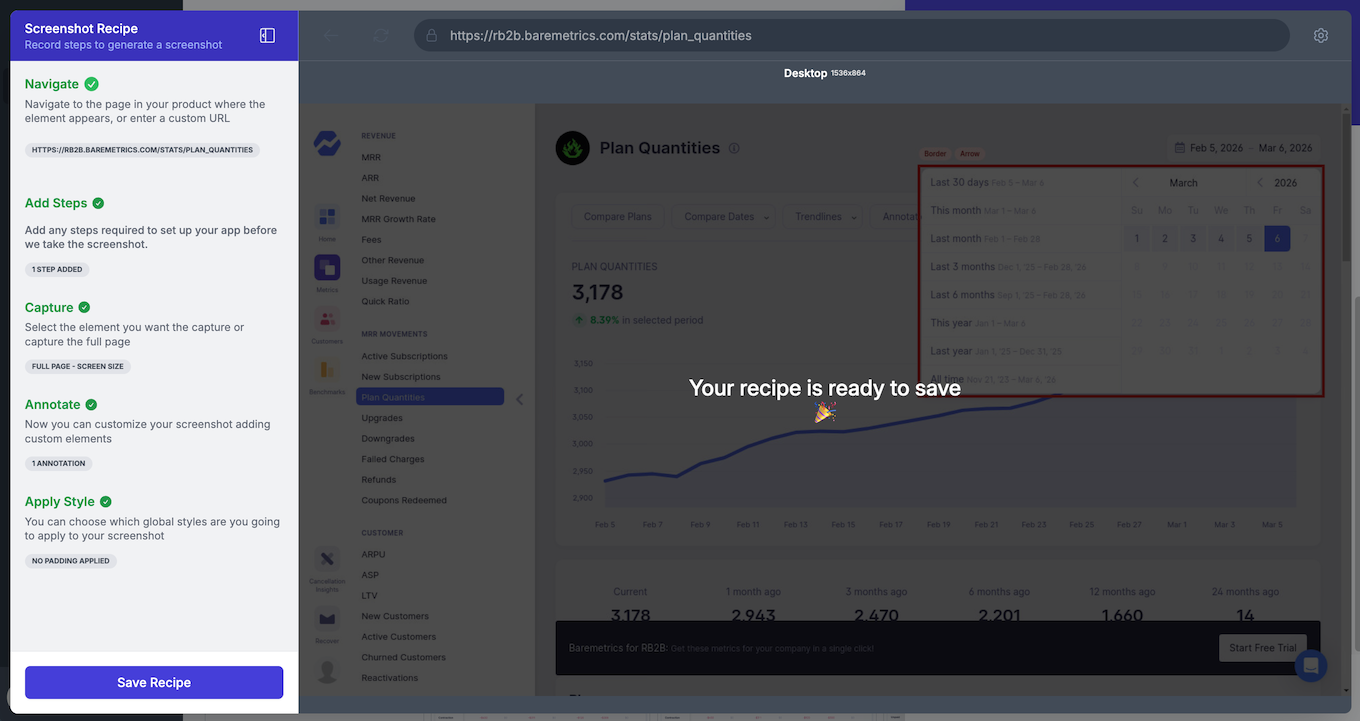
Record once. Run forever. Once recorded, your recipes can be run repeatedly to automatically produce screenshots that are always accurate, up-to-date and aligned with your product. No more manual rework and maintenance. Just a reliable, repeatable workflow that scales as your product evolves 🚀
See NextGen in action!
We’re going live on Tuesday, Feb 17th with a 25min launch webinar! Join us to see recipes get recorded, annotations added automatically and fresh screenshots generated in real-time.
Can’t make the webinar? Don’t worry — you can book a personalized demo with our team and get a front-row look at NextGen in action: grab some time here.